A little help with internal FQDN

Status
Not open for further replies.

kylejwx93

Premier Customer
Joined
Apr 14, 2020
Messages
35
Reaction score
2
Hello,

I just setup 3CX. I choose to use IP address for my internal network. If I'm understanding this correctly, that means that any clients (softphones or deskphones) that access my server will just point directly to the local server IP address. For example 10.0.1.XX. If we are talking about a physical deskphone, I don't see how that could really be a con or a problem, besides the lack of failing over automatically.

For end users accessing 3CX through a browser however, it seems that they are going to have to remember to go to 10.01.XX while on campus, and go to mydomain.3cx.us while off campus. Way too complicated for most end users.

Also, how do the iOS and Android apps handle this? Do they know if they are on network or off network? Do they automatically switch between external domain and internal IP?

Anyway, even though I created 3CX with the internal IP option, can I still setup the Split DNS as described here? https://www.3cx.com/docs/creating-fqdn-split-dns/ If I'm understanding this correctly, the split DNS just forces on-network users who type in mydomain.3cx.us into their browser to be redirected to 10.0.1.XX. Is that correct? Seems like it's what I want.
 
Yes, although if you plan on going that route then realistically I'd backup, uninstall, restore and pick FQDN after you have DNS setup.
 
Yes, although if you plan on going that route then realistically I'd backup, uninstall, restore and pick FQDN after you have DNS setup.
Ok, I wondered if someone would say that. Just to confirm, during the restore process I can change that option? And it won't affect my external FQDN? I'd really rather not deal with the Key Already Bound Issue: https://www.3cx.com/docs/fqdn-management-allocation/
 
You are using the same key and external FQDN so you are good.
 
Ok, thanks. That's what I thought. It's actually pretty impressive how easy the back up and restore process is for 3CX.
 
Side note: as a school, we use a cloud-based DNS web filter on our laptops. Is that going to mess up the split DNS? The laptops are still able to access the Active Directory server, so I guess the DNS filter can't be redirecting all the requests. It has to allow something to stay on the local LAN.
 
Which one? For Cisco Umbrella at least (what we use) you can define internal domains on your policies which will defer to the internal/assigned resolvers.
 
We use Lightspeed Relay. I can exclude certain domains from SSL decryption, but I'm not aware of how to specify local versus not local.
 
Hello,

For end users accessing 3CX through a browser however, it seems that they are going to have to remember to go to 10.01.XX while on campus, and go to mydomain.3cx.us while off campus.

Also, how do the iOS and Android apps handle this? Do they know if they are on network or off network? Do they automatically switch between external domain and internal IP?

The split DNS should take care of that. I assume you do not allow hairpin-nat traffic if you need this.

The apps handle it just fine, they will try both the fqdn and IP and should connect to whichever one is available. So depending on where your location currently is, you should always reach the PBX one way or another.
 
Good to hear about how the apps handle it.

I really don't know anything about haripin-nat. Should we allow it or not allow it? It tried to watch a couple YouTube videos about it today.
 
Ok, the next thing that we are running into is that web browsers such as Chrome see my internal 3CX server as not having a valid certificate. How do I handle that? I don't see anything in the Split DNS guide about having to have an internal certificate.

And note, I'm using the 3CX provided external FQDN. I'm not running my own domain, which is what the guide seems focused on?
 
NAT hairpinning, also known as NAT loopback or NAT reflection:
It basically means that if im sitting on the same private LAN as the PBX, I can still access it publicly via FQDN. So the users don't have to remeber 10.01.x.x, they can just type the fqdn and reach the PBX via the public IP. Here's where it can get tricky:

1) If you allow this type of traffic, then you are already set. Nothing more needs to be done, everyone can access the PBX via FQDN no matter where they are.

2) If you do not allow hairpinning, then if they type the FQDN they will not get a response because now they are trying to access a resource via their public IP which points again to the same public IP. That's when you need to setup a split DNS to redirect any FQDN pointing to your public IP, back to the internal resource you want.


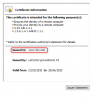
Certificates are issued to the FQDN (ie. www.3cx.com) so if you access the server using a direct IP, the IP in your address bar is clearly not equal to the FQDN the certificate was issued for, so the certificate will not match and you get a warning.

Split DNS (or NAT Hairpin mentioned above) means you will access the internal server via FQDN so it will always match. Remember, the certificate is not issued to your server, it's issued for the FQDN. It does not care where that FQDN resolves to. Your IP could change tomorrow and the certificate is still valid so long as you access the server via FQDN
1586937800391.png
 
Last edited:
  • Like
Reactions: kylejwx93
I add a forward lookup zone to the internal DNS for my FQDN... But I assume with Lightspeed that won't help.
I think @JohnS_3CX has it dialed in for you.
 
@craigreilly, Yes I agree. Everyone here has been super helpful. Thanks All!
 
  • Like
Reactions: JohnS_3CX
Status
Not open for further replies.

Forum statistics

Threads
111,944
Messages
589,864
Members
164,835
Latest member
Firefox Technologies