Adding agents in multiple different queues

Status
Not open for further replies.

peter tasic

Free User
Joined
May 11, 2021
Messages
27
Reaction score
1
Hello,

we have a call center that makes outbound calls. Right now it is setup in a way that a set ammount of extensions covers a region/country. We're now expanding to a new country/region and would like to take a few extensions out of existing regions to cover both their original and new region. What is everything i need to set this up?

We have recieved the dialing out numbers for the new regions from our SIP trunk provider, but as i see it i would need to set up a rule that would change the dialing out number based on the region it was calling into - so that customers get the appropriate number on screen when they're being called and not one from another country.
Also are there any issues with extensions being in multiple outbound rules?
THank you
 
Hi @peter tasic,

Can you describe how your current configuration is set up? This would help me to understand how you're setting things up so I can provide the best solution given your configuration.
 
Hi @peter tasic,

Can you describe how your current configuration is set up? This would help me to understand how you're setting things up so I can provide the best solution given your configuration.
Sure, what kind of info do you need?
 
Hi @peter tasic,

Can you describe how have you set up your current groups / outbound rules to work?
 
Hi @peter tasic,

Can you describe how have you set up your current groups / outbound rules to work?
For some regions we have created groups, for some (smaller ones) we just apply the outbound rules directly to those few extensions.
For example lets say we have 2 users calling customers in Spain, we have an outbound rule that applies to their extension numbers and the appropriate SIP trunk provider selected as route 1. As both extensions have their outbound caller ID set no digits are stripped or prepended as they are only calling into Spain and have a spanish number applied to them.
For a bigger market, lets say Italy we have a group created. Agents calling into Italy are placed into that group. All the agents have an italian outbound caller id set. The outbound rule applies to numbers starting with prefix 39 and 0039 (italian country code). The appropriate SIP trunk provider is selected, no digits are stripped or prepended.

For the sake of argument lets say we want to open a german group and use 1 person from the Spanish region and 1 from Italy's region to do it - so the 2 people are covering their respective regions spain and italy aswell as the new german region.
If i understand correctly i only need to make another outbound rule that would be applied to their 2 extension numbers, select the right SIP trunk provider and apply this rule to numbers starting with prefix 0049 or 49 - germany's country code. The issue i have is how to apply the correct outbound caller number to those 2 agents when they call out to german customers, seeing as they both already have an outbound caller id for either spain or italy.

Thank you for any input!
 
Hi @peter tasic,

You're absolutely right however I'd have one recommendation which pertains to your question. Set the Outbound Caller ID on the Outbound Rules rather than on the extension level, this way you can add any agents to any groups on the fly rather than having to log in and change their Caller IDs on the extension level all the time.
 
Hi @peter tasic,

You're absolutely right however I'd have one recommendation which pertains to your question. Set the Outbound Caller ID on the Outbound Rules rather than on the extension level, this way you can add any agents to any groups on the fly rather than having to log in and change their Caller IDs on the extension level all the time.
Thanks for advice, it does sound more reasonable the way you put it. I have one last question, do i set the Outbound Caller ID by just stripping all digits and prepending the whole OCID they have set now in their extensions as the new one or is there a different way? If yes, do i just strip the maximum (9 digits) every time?
 
@peter tasic,

No, the stripping and prepending fields are only used on the dialed number and they have nothing to do with the OutboundCallerID. The OutboundCalleID should be entered, as is, in the OutboundcallerID field.
 
@peter tasic,

No, the stripping and prepending fields are only used on the dialed number and they have nothing to do with the OutboundCallerID. The OutboundCalleID should be entered, as is, in the OutboundcallerID field.
Sorry i'm confused. So the OutboundCallerID is set in Group properties or Outbound rules properties? Because i cant seem to locate either.
 
Hi @peter tasic,

This would be the Outbound Caller ID in the Outbound rule I'm referring to. If you go into your Outbound rule, on the far right hand side of your Routes section, you'll see the Outbound Caller ID column.
 
Hi @peter tasic,

This would be the Outbound Caller ID in the Outbound rule I'm referring to. If you go into your Outbound rule, on the far right hand side of your Routes section, you'll see the Outbound Caller ID column.
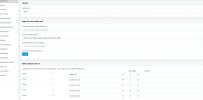
Hey, thanks but i see no such column. Attaching screenshot below. I've scrolled as far to the right as i could but there seems to be nothing after the "prepend" column.
1622552433899.png
 
Hi @peter tasic,

Can you provide me with the browser you're using and the PBX version?

Can you confirm you're logged in with the admin account? Can you try in incognito mode?
 
Hi @peter tasic,

Can you provide me with the browser you're using and the PBX version?

Can you confirm you're logged in with the admin account? Can you try in incognito mode?
Hey, the version is as follows :
1622553216184.png
As for the browser the default is the outdated Internet explorer. I've tried accessing the management console via Chrome and then again in Chrome incognito mode just now but the column is still not present.

It is definitely the admin account as i'm able to manage/add/delete anything.
 
Hi @peter tasic,

As V18 is close to release, I suggest upgrading to V16 as soon as possible. You can do this from the management console. Here is a guide to walk you through the process: https://www.3cx.com/docs/upgrading-pbx-v16/#h.c34e4qzgvobd

Once updated, you'll see the Outbound Caller ID field right of the Prepend field.
Thank you so much for the help! One final question regarding the update, how does upgrading the server client/management console affect all the current users - if at all? Do we need to manually upgrade to V16 on all their devices aswell or is just the 3cx server enough?
 
@peter tasic,

Upgrading 3CX on the server will take it offline for a few minutes, this is the only effect that'll take place. Users won't need to upgrade anything.

Note as well: We suggest creating a backup before making any changes to the PBX.
 
Status
Not open for further replies.