AES, RSA & VPN on 3CX PBX System

Status
Not open for further replies.

Mayank143

New User
Joined
Sep 17, 2021
Messages
10
Reaction score
0
Dear Friends,

Started trial (installed on AZURE) of 3CX phone system (PBX) only for internal calls/msg/chat/video/audio calls (NO OUTER SERVICE).

1. Need to know what kind of AES-256/512 & 2048-RSA they are using for internal communications 3cx to 3cx?

2. As they are using FREE Lets Encrypt for 3CX Phone System (PBX) & I want to install another SSL so which one I have to take (DV/EV/OV) & that should be issued on the name of login portal "xyz.3cx.com".

3. Do I need to install some certs on AZURE VM also?

4. Heard that VPN is good for securing PBX Phone system calls so do 3cx providing any VPN OR I have to contact AZURE for deploying VPN service on his VM?

B.regd
Mayank Gupta
 
Hi!

1. Need to know what kind of AES-256/512 & 2048-RSA they are using for internal communications 3cx to 3cx?
At the time of writing this, in V18 Update 1, the 3CX Web Server is configure to use these Cipher suites and by default is limited to TLS 1.2 only:
TLS_AES_256_GCM_SHA384
TLS_CHACHA20_POLY1305_SHA256
TLS_AES_128_GCM_SHA256
DHE-RSA-AES256-GCM-SHA384
DHE-RSA-AES128-GCM-SHA256
ECDHE-RSA-AES256-GCM-SHA384
ECDHE-RSA-AES128-GCM-SHA256
DHE-RSA-AES256-SHA256
DHE-RSA-AES128-SHA256
ECDHE-RSA-AES256-SHA384
ECDHE-RSA-AES128-SHA256
ECDHE-RSA-AES256-SHA
ECDHE-RSA-AES128-SHA
DHE-RSA-AES256-SHA
DHE-RSA-AES128-SHA

Now what encryption is negotiated also depends on the Client as well, but if you are using the WebClient or the new 3CX Desktop app, one with AES256 will be used (I believe 512 is not supported by TLS 1.2).

2. As they are using FREE Lets Encrypt for 3CX Phone System (PBX) & I want to install another SSL so which one I have to take (DV/EV/OV) & that should be issued on the name of login portal "xyz.3cx.com".
You do have the option to use your own Certificate, BUT, you will need a Pro License Key or above to do this. Also, to use your own Certificate, you need to use your own Domain/FQDN as well, so you will also need to create your own A Records.


3. Do I need to install some certs on AZURE VM also?
No, but I do recommend installing from our Azure Marketplace image:
https://www.3cx.com/docs/pbx-azure-marketplace/


4. Heard that VPN is good for securing PBX Phone system calls so do 3cx providing any VPN OR I have to contact AZURE for deploying VPN service on his VM?
Assuming you will be using the Webclient and 3CX Desktop app only. all communication is encrypted via TLS 1.2 and the media (Audio/Video) using DTLS.
Yes, VPN adds an extra layer of security, but many would argue that a TLS connection is secure enough.
 
  • Like
Reactions: Evolute IT
Dear Mr.Nick,

10x 4 ur fruitful reply.

1a. If using 3CX Android to 3CX Android then which AES they would use as on the LOCKED icon during the dialing showed only ENCRYPTED word?
1b. Does any other 3rd party Calling app also support the same AES-256, like ZOIPER?

2a. I didn't see the CUSTOMS DOMAIN option in PRO or higher plans. Here I saw that only need to paste the KEYS https://www.3cx.com/community/threads/generate-ssl-certificate.83952/#post-393630
2b. Even don't know which SSL I have to take (DV/EV/OV....)?

3.
I'll do it.

4. Do 3CX offer VPN OR should I ask AZURE to deploy VPN services?
As via Web/Desktop, I am using VPN software.

Waiting for your answers.

B.regd
Mayank Gupta
 
Dear Mr.Nick,

10x 4 ur fruitful reply.

1a. If using 3CX Android to 3CX Android then which AES they would use as on the LOCKED icon during the dialing showed only ENCRYPTED word?
1b. Does any other 3rd party Calling app also support the same AES-256, like ZOIPER?

2a. I didn't see the CUSTOMS DOMAIN option in PRO or higher plans. Here I saw that only need to paste the KEYS https://www.3cx.com/community/threads/generate-ssl-certificate.83952/#post-393630
2b. Even don't know which SSL I have to take (DV/EV/OV....)?

3.
I'll do it.

4. Do 3CX offer VPN OR should I ask AZURE to deploy VPN services?
As via Web/Desktop, I am using VPN software.

Waiting for your answers.

B.regd
Mayank Gupta
1a. The Lock icon means the call is going through the 3CX Tunnel, which is encrypted via a proprietary method.

2a. It is part of Pro and Enterprise. It will be under the collapsed sections of the Pricing page.

2b. DV will do the job. You'll have to buy one, generate a CSR and configure those during setup of the 3CX.

4. No but it has the SBC for deskphones. The Webclient and Desktop App use WebRTC through HTTPS, so no need for VPN.
 
  • Like
Reactions: Mayank143
Dear Mr.Nick,

10x 4 ur fruitful reply.

1. There is no "proprietary method". It should be this OR that.
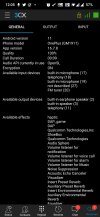
See enclosed screenshot as NO SUCH INFO REVEALED BY 3CX ABOUT CARRIED SECURITY - UDP/TCP/TLS/128/256 - except ENCRYPTED WORD.

One simple question about exact AES type but NOTHING...... Ans given by you in de 1st reply is also based on IP Phones connections - If using 3CX apps whether Web/Desktop OR mobile app then encryption should be fixed whether 128 or 256 on 3CX internal apps, for 3rd Party IP phones could be change BUT then also Encryption has nothing to do auto switching 128 to 256 OR 256 to 128 - should be fixed:(.


2a. You are referring this for custom DOMAIN "Custom FQDN" & "Custom SMTP Server" for SSL + DNS but I want to use on existing portal xyz.3cx.com, so can buy DV SSL on de same name xyz.3cx.com then copy the KEYS.

Waiting for your answers.

B.regd

Mayank Gupta
 

Attachments

  • processed.jpeg
    processed.jpeg
    649.2 KB · Views: 6
Dear Mr.Nick,

10x 4 ur fruitful reply.

1. There is no "proprietary method". It should be this OR that.
See enclosed screenshot as NO SUCH INFO REVEALED BY 3CX ABOUT CARRIED SECURITY - UDP/TCP/TLS/128/256 - except ENCRYPTED WORD.

One simple question about exact AES type but NOTHING...... Ans given by you in de 1st reply is also based on IP Phones connections - If using 3CX apps whether Web/Desktop OR mobile app then encryption should be fixed whether 128 or 256 on 3CX internal apps, for 3rd Party IP phones could be change BUT then also Encryption has nothing to do auto switching 128 to 256 OR 256 to 128 - should be fixed:(.


2a. You are referring this for custom DOMAIN "Custom FQDN" & "Custom SMTP Server" for SSL + DNS but I want to use on existing portal xyz.3cx.com, so can buy DV SSL on de same name xyz.3cx.com then copy the KEYS.

Waiting for your answers.

B.regd

Mayank Gupta
1. Encryption is not your problem. Is it encrypted with high security and the PBX has protections. No need to discuss this for days, the answer is already given above.

2. Custom Domain ≠ Custom SMTP. SMTP is for emails. This can use the 3CX SMTP or your own. For SSL/Domain, no you cannot use the 3CX FQDN and put your own certificate on it.

You either use 3CX FQDN with Let's Encrypt, or your own custom domain with your own SSL.

If you can't figure the difference, ask a partner (like us) to help you.
 
Ok.....

Sent emails to 14 Partners....
Received 1 call + 3emails & they refer Community Forum....

1. So how to assign own domain with own deployment of DV SSL on 3CX? Then login portal may change frm xyz.3cx.com to xyz.mayank.xyz so DV SSL need to issue for xyz.mayank.xyz

2. For this need to re-install Azure VM also with new domain?

3. SSL need to install on Azur VM
OR just copy de keys?
 
1. You'll need to release the current FQDN bound to the license in your Customer Portal. Then, use a backup of the machine (one without license key) and restore that during setup of your new instance. It will then ask for the key and choose FQDN.

2. Above.

3. During setup, if you choose Custom FQDN, it will ask for the certificate file (bundled with intermediates and root) along with the private key file in PEM format.

Read here: https://www.3cx.com/docs/fqdn-ssl-certificate-v15/

As for partners, some will require you to buy the license from them or get some hours bucket for support.

We are not like that. Obviously we don't do free support tho, beside on this forum.
 
Dear Mr.Nick,

It shows me this...... do I need to update???

TypeNameStatusInstalled VersionOnline VersionDescription
BetaNew 18.0 Update 1 BETAOut Of Date18.0.0.188018.0.1.214New 18.0 Update 1 BETA Release Available


No need to take backup as nothing to save under TRIAL.....

As per your words "We are not like that. Obviously we don't do free support tho, beside on this forum" so let me ask your Support Fees for deploying my domain + install SSL on 3cx/Azure?

I'll buy DV SSL for 3cx.12345xyz.com as I have a domain already.
I have DNS (NS1 & NS2) of where domain is hosted.
Using AZURE VM is good in de domain of safety/security OR take new VPS from my current Webhosting provider but I thinking taking VPS need many things to do + installation + security + panel....blah...blah.....

B.regd
Mayank Gupta
 
It shows me this...... do I need to update???
No need. This is a beta version, not official yet.

As per your words "We are not like that. Obviously we don't do free support tho, beside on this forum" so let me ask your Support Fees for deploying my domain + install SSL on 3cx/Azure?
We go by the hour, and we bill in CAD$ so it's better for international customers. DM me. It's about 30min-1h to deploy this and make sure everything works correctly.

buy DV SSL for 3cx.12345xyz.com as I have a domain already.
I have DNS (NS1 & NS2) of where domain is hosted.
Using AZURE VM is good in de domain of safety/security OR take new VPS from my current Webhosting provider but I thinking taking VPS need many things to do + installation + security + panel....blah...blah.....
I would recommend either Azure, AWS or Vultr. These are all good. As for security, it's mostly dependant on how your configure the firewall.

If you have DNS already, all you need is a A record for your FQDN, and a DV cert for that precise FQDN. Wildcard are supported but won't work for Secure SIP if you plan on using that (no need if you use the SBC.)
 
Dear Mr.Nick,

Should I send u DM here https://www.3cx.com/community/conversations/add?to=Frederick+Marcoux to quote?

1. Then AZURE is ok, let me know required VM & OS with Cores/CPU/RAM/HDD so I can check the price from MICROSOFT then ask the person for replacement under my credits.

2. You need 3cx login details + Azure login details?
OR
Only 3cx login details as from Azure you need only “Your Microsoft Azure Tenant ID” but during the installation of 3cx, they need to authenticate with Microsoft login credentials OR I can take your system on Licensed TEAMVIEWER then enter the details of the Microsoft OR u can perform this on my system via TeamViewer.

3. Current Azure VM is Linux Debian10, do you think need to install something on Azure VM to protect (encryption certs)?

USAGE
- Of 3CX is just talk internally under the PBX system, no need to do in/out calls out of 3cx system BUT 3cx supplied SIP Truck services which is not connecting as tried from 4 countries BUT when I assigned my existing VOIP provider then it was connected but unable to make calls, may be some settings left.....

B.regd
Mayank Gupta
 
Yes this is the good method.

Then AZURE is ok, let me know required VM & OS with Cores/CPU/RAM/HDD so I can check the price from MICROSOFT then ask the person for replacement under my credits.
For your usage, 2C/4GB RAM/40GB HDD would be just enough. B1S I think is what we used before.

You need 3cx login details + Azure login details?
OR
Only 3cx login details as from Azure you need only “Your Microsoft Azure Tenant ID” but during the installation of 3cx, they need to authenticate with Microsoft login credentials OR I can take your system on Licensed TEAMVIEWER then enter the details of the Microsoft OR u can perform this on my system via TeamViewer.
To deploy the VM, you can either use PBXExpress (which will need the tenant ID and some steps to get it working) or the Marketplace image (which I think is still V16 tho.)

Otherwise, yes, we can remote in and assist with deployment.

Current Azure VM is Linux Debian10, do you think need to install something on Azure VM to protect (encryption certs)?
No need. Just configure the firewall correctly and the machine will already be protected. The better you could do is probably HDD encryption on Azure-level, if they can do it. I know AWS can.

USAGE - Of 3CX is just talk internally under the PBX system, no need to do in/out calls out of 3cx system BUT 3cx supplied SIP Truck services which is not connecting as tried from 4 countries BUT when I assigned my existing VOIP provider then it was connected but unable to make calls, may be some settings left.....
Having a trunk is always useful if you plan on making calls. Otherwise it's useless. However, many trunks don't work with 3CX for many different reasons, thus the "Supported Providers" list.
 
Status
Not open for further replies.

Forum statistics

Threads
111,977
Messages
590,096
Members
164,906
Latest member
Nari