• We do not provide troubleshooting help for unsupported phones. Please try with a supported phone.
  • V20 Update 10 Alpha 2 Learn more

after setup the 3cx System and add ip phone , the extension appear twice for one account in ip phone , gxp1625,gxp1630 and gxp2170

Status
Not open for further replies.

mahmoudomar

Customer
Joined
Mar 31, 2022
Messages
12
Reaction score
0
i do all this , the extension appear twice again
 
It literally says it cannot be changed.
 
yes , that after the add ip phone and assign the extension he take the provisioning and reboot and appear with twic eextension
 
On the BLF or in the phones tab in MGMT console?
 
in MGMT Console
 
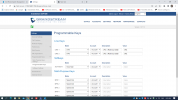
one account take 2 line key , how remove this
 
i read the link and do all steps but shown one account in 2line
 
i think that problrm in templete and the license for 45 day trial from partner
 
can fix that issue
 
can send the templete for gxp1625,gxp1630 to see can modify or no
 
1648722288749.png

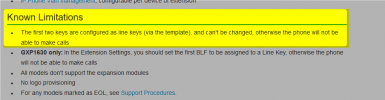
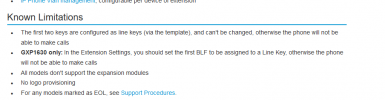
It's normal to have two line keys. Grandstream provided the template to 3CX and requires two line keys.

You can contact Grandstream directly and ask them to provide you with a modified template if you want, but we do no support modified templates - this might break the phone and it will not work correctly.
 
According to our remote session, we figured out that the issue was related to the line keys that were configured with the same account number, changing the line keys configuration from the 3cx template didn't solve the issue, this is due to a software bug in firmware version 1.0.7.13 which is fixed in firmware version 1.0.7.18. But 3cx only supports until 1.0.7.13, so we can do nothing about this. I suggest that you contact 3cx about this
 
how can fix that issue
 
how can fix that issue

There is no issue here to fix.

If you want to change the way the phone behaves, I think you should better ask Grandstream directly.
 
Status
Not open for further replies.

Forum statistics

Threads
112,149
Messages
590,965
Members
165,170
Latest member
SupportRock