After upgrading to V.18 WebMeeting fail to connect only from browser

Status
Not open for further replies.

sinapsi.software

Customer
Joined
Jan 31, 2022
Messages
12
Reaction score
2
Dear all,

after the upgrade of 3CX to v.18 webmeeting switch to a new exciting mode but stop working via browser.

It starts, appear the webcam and audio configuration, then when I try to enter the conference it tells: "Please retry the connection..."

if i try to enter via mobile web app it works perfectly. Idem if I use Dial call to join the meeting.

I've just checked the WEBMEETING_INDEX (correct).
Firewall is fine (only SIP ALG doesn't work, and i correct it)
WebMeeting bridge in SIP Trunk works fine (all settings are correct)

Where is the problem?

Sincerely
 
Hi @sinapsi.software,

Was this a meeting that was scheduled in v16 and doesn't work after the upgrade to v18? Or is this any meeting that is scheduled now?

Where is the user from that is trying to connect to the WebMeeting? Are they local to the PBX or connecting externally?
 
Dear Vasilis,

Is just a new scheduled meeting

the user is externally connected.

I also try connecting via vpn. But the external user on mobile phone works :)
 
Hi @sinapsi.software,

Can you schedule a meeting for a few days from now. PM me (hover over my image, click Start Conversation) the contents of the event that is generated when you create the meeting using Google etc.
 
Hi,

here follows the reference for the meeting (sorry is in italian). It ends in 24 hours.

Data di inizio:2 febbraio 2022
Ora di inizio:13:15
ID Conferenza:4691030
Per unirti componi
xxxxxxx (esterno) o 700 (interno) e inserisci l'ID della conferenza.
Clicca su questo URL per accedere al meeting
https://xxxxxx.meet/tFfdfZ8inI3FElOKXroczlRx
 
Last edited by a moderator:
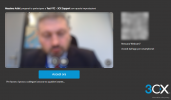
this is the message that is shown after clic "Accedi ora" (means enter now).

1643811475565.png
 
Last edited by a moderator:
Hi @sinapsi.software,

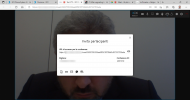
Upon further investigation this seems to be a SSL error, which I can't tell you specifically what it is. If you were to use a 3CX FQDN I'm sure this wouldn't be an issue, but for now my advice is to investigate your SSL certificate.

1643804520686.png
 
The pbx.sinapsi.software is behind an ARR Server that rewrite to http port. I'm going to change it to local hostname on ssl.

thanks for the help

where i can find the log that you show me?
 
Great, keep me posted with the outcome @sinapsi.software.

The log comes from Google Chrome: F12 -> Console.
 
But... the problem is not in SSL certificate but in the configuration that add :80 to port. As you can see in the log it call https://pbx.s****si.so***re:80. Also in mobile app i need to remove :80 to the link.
Where is the configuration of the port?
 
If i copy the link and remove the :80 it works perfectly:

this is the json result:

{"result":true,"error":"","mcu":"eu174-lon.3cx.net:443","key":"tFfd**8inI3******x","link":"eu174-lon.3cx.net:443?key=t*****XroczlRx"}
 
Last edited by a moderator:
Also the wmclient.js has this code:
var req = 'https://' + _this11._router_host + '/router?reference=' + _this11._router_key;

where the _router_host is configured?
 
Hi @sinapsi.software,

The settings are dynamically pulled from within 3CX. This may be happening because you're behind an ARR server.
 
Hi,
just to inform you i've debugged the javascript code. When the script compose the link for the request of json with configuration i remove the ":80" value and it works perfectly

1643813675881.png
as you can see.
 
  • Like
Reactions: VasilisV_3CX
But the problem remain. I suppose that there is a configuration that add the wrong port to the link.

the code that compose the link is from row 2121 to 2126
this._wmdata.meeting.clienturl (that has the wrong value: https://pbx.sinapsi.sofware:80)

in particular at row 2122 the link variable is filled by url.host and not url.hostname..
 
Last edited:
Hi @sinapsi.software,

Can you create an extension on your PBX for me to log in with and test? Ensure that that Click2Talk / Click2Call is enabled. Please PM me the extension's Welcome Email (copy paste it).
 
Hi @sinapsi.software,

I'd like to schedule the meeting myself. Can you please follow my instructions above?
 
Sorry Vasilis. I don't read the message accurately

EDITED BY A MODERATOR: Private information removed. Please DO NOT post private data such as usernames, passwords, urls, qr codes etc on a public forum.
 
Status
Not open for further replies.

Forum statistics

Threads
111,973
Messages
590,077
Members
164,896
Latest member
sameage