Alert when call recordings stop

Status
Not open for further replies.

colinuk

Silver Partner
Advanced Certified
Joined
Aug 3, 2020
Messages
15
Reaction score
0
Is there an option to create an alert when calls stop recording - for any reason?
I understand the alert when call recordings reach maximum quota - or a percentage of maximum quota - this works - however is there an additional alert you can put in place when it gets to the point where it stops recording?
 
Can you expand further on your question? For example, 3CX might not be able to save recordings if the permissions on the folder are set incorrectly. Are you looking for a notification for situations like this? Currently, there is no notifications options for a situation like this.
 
My example - was an alert was set for 92% of quota - but over a busy weekend period - the recordings reached their limit and stopped recording - we didn't notice until the following Monday afternoon so lost some vital data - we are alert to this now and over compensate - but is there a way to alert us when the service stops recording for any reason?
For storage I suspect set it to 100%, but that is not a warning in advance?
 
Frankly, I just assumed 3CX sent out a notification when the max was reached. If it does not, that's a surprise for me. If that is indeed true, it would be fairly simple to create a monitoring service that detects when the disk quota has been reached and send an email.
 
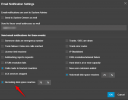
Have you checked notifications for the Recordings Quota?

1712117684195.png
 
Thanks for the reply - it was set to 92% which worked - we were caught out by an increased number of telephone calls over the weekend and I am asking if there is another method - or multiple trigger points - available to alert when the service stopped recording - or got to 100%
 
This is the only notification regarding the quota. I would suggest to keep it in lower value to avoid this situation.
 
I handle this by having a quota that's always significantly higher than my needs (so is never hit) and with a decent buffer, then limit how many calls I store by retention period.

That way if, for example, you keep three months worth of calls it just averages out (i.e. a busy day or two can not derail you). It can take a little trial and error to choose a suitable retention period when first setting up but, once you do, the quota becomes something that tells you your business is generally handling more calls and you need to think about your requirements soon rather than "It's time to panic!".

If you're concerned about storage costs you can always archive to a bucket.
 
  • Like
Reactions: VoIPTools
Remote arching is the solution here as recordings will be sent to the remote location and deleted from the local storage. This will allow you to save disk space and always have access to the recordings. Check the guideline here for more information.
 
Status
Not open for further replies.

Latest Posts

Forum statistics

Threads
111,953
Messages
589,915
Members
164,851
Latest member
DrunkeMeister