DrainBamaged Forum User Advanced Certified Joined Feb 21, 2019 Messages 168 Reaction score 41 Oct 7, 2019 #1 We have 400+ extensions. Is there anyway we can set the CODEC order across all extensions without going to each ext individually?
We have 400+ extensions. Is there anyway we can set the CODEC order across all extensions without going to each ext individually?
eddv123 Titanium Partner Advanced Certified Joined Aug 15, 2017 Messages 2,855 Reaction score 478 Oct 7, 2019 #2 On the extensions tab multi-select the extensions you want to change and hit "edit" you can then see under provisioning the codec list. Some settings are missing on multi select but have just checked on my v16 system and it seems to be possible.
On the extensions tab multi-select the extensions you want to change and hit "edit" you can then see under provisioning the codec list. Some settings are missing on multi select but have just checked on my v16 system and it seems to be possible.
JohnS_3CX Support Team Staff member 3CX Support Joined Jan 4, 2019 Messages 14,560 Reaction score 3,728 Oct 8, 2019 #3 For the 3CX softphone, or for their individual deskphones?
DrainBamaged Forum User Advanced Certified Joined Feb 21, 2019 Messages 168 Reaction score 41 Oct 9, 2019 #4 Lee - Your link takes me to your 3CX admin login page. Selected three unused smartphone extensions to edit as a test. The codecs were visible, but the "move up" "move down" buttons were grayed out. Tried it on v16 release 2 & 3. No difference.
Lee - Your link takes me to your 3CX admin login page. Selected three unused smartphone extensions to edit as a test. The codecs were visible, but the "move up" "move down" buttons were grayed out. Tried it on v16 release 2 & 3. No difference.
JohnS_3CX Support Team Staff member 3CX Support Joined Jan 4, 2019 Messages 14,560 Reaction score 3,728 Oct 10, 2019 #5 Do you want to edit for the 3CX softphone, or for their individual deskphones?
DrainBamaged Forum User Advanced Certified Joined Feb 21, 2019 Messages 168 Reaction score 41 Oct 10, 2019 #6 Hi John, Softphones. The deskphones are fine by default. Thanks.
JohnS_3CX Support Team Staff member 3CX Support Joined Jan 4, 2019 Messages 14,560 Reaction score 3,728 Oct 10, 2019 #7 Great, just select all your extensions at the same time (top tick box), and click Edit button. Select Phone Provisioning tab and scroll down to Codecs box. Rearrange them, and now press OK. At the next launch of the 3CX softphone (whether Android, iOS, Windows, Mac) they will receive the new codec order. Same as @eddv123 said above
Great, just select all your extensions at the same time (top tick box), and click Edit button. Select Phone Provisioning tab and scroll down to Codecs box. Rearrange them, and now press OK. At the next launch of the 3CX softphone (whether Android, iOS, Windows, Mac) they will receive the new codec order. Same as @eddv123 said above
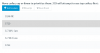
DrainBamaged Forum User Advanced Certified Joined Feb 21, 2019 Messages 168 Reaction score 41 Oct 10, 2019 #8 Yes sir. Tried that. Selected three spare ext that only have softphones, clicked edit but the move up and down buttons are grayed out. Screenshot enclosed. v16.0.2.910
Yes sir. Tried that. Selected three spare ext that only have softphones, clicked edit but the move up and down buttons are grayed out. Screenshot enclosed. v16.0.2.910
JohnS_3CX Support Team Staff member 3CX Support Joined Jan 4, 2019 Messages 14,560 Reaction score 3,728 Oct 10, 2019 #9 You can delete the codecs to empty the list, then add them from scratch in the order you want
DrainBamaged Forum User Advanced Certified Joined Feb 21, 2019 Messages 168 Reaction score 41 Oct 10, 2019 #10 Confirmed as working. Thanks. Reactions: JohnS_3CX
JohnS_3CX Support Team Staff member 3CX Support Joined Jan 4, 2019 Messages 14,560 Reaction score 3,728 Oct 10, 2019 #11 Glad to hear