Android app does not launch on push

Status
Not open for further replies.

mburtscher

Forum User
Joined
Oct 6, 2017
Messages
24
Reaction score
2
Just as many others in this forum we are experiencing troubles with the Android app not being launched automatically when a new call comes in. If the app has been launched before and is already running in background, everything is fine. But if the app has not been launched before (e.g. phone restart or “force stop”), the app will not show up when a call comes hin. The caller will here the ringing sound anyway.

In one case when I was testing after a phone reboot, I noticed that the app showed up for a couple of milliseconds but immediately disappeared and did not ring. After that it also didn't show up in the recent apps selection of the phone.

I've tried both our own Firebase project and the default 3CX credentials. Also with restarting services and re-configuring the client application (with welcome mail) after changing the settings.

Device: Nokia 7 plus with Android 9
3CX: 15.5.15060 and latest mobile app
Connection: Wi-Fi
 
Hi @mburtscher

Does it work on other android phones or do you just have the issue on the nokia?
 
Hello @JohnS_3CX

The problem persists on multiple different phones using different 3CX extensions.
 
Can you try to upgrade your PBX? You are currently on an old beta version.
 
Hmmm, am I? The admin panel says “Your system is up to date. Last checked: Today, 13:30“

How can I manually upgrade to a newer version?
 
Please tell me what operating system you use (Windows/Debian) and exact version before we can proceed further
 
The host system runs on "Linux 3.16.0-7-amd64 #1 SMP Debian 3.16.59-1 (2018-10-03)". It has been set up by the 3CX cloud wizard about two years ago and has not been changed manually.
 
Ok looks like you are on the old version of Debian, which means you will stop receiving 3CX updates (the newer PBX is not compatible with the old Debian).

I think it would be a good idea to upgrade you system, if you wish to proceed I can help you with further instructions.
 
I have now upgraded the system and now I'm on 16.0.910. Unfortunately the problem persists :-/
 
Ok great, you are now on the latest version so let's look at the rest of the things we need to check.


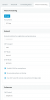
1. Under your extension check the settings are like below:
12471

2. Sign up for the beta android app, and update it on your phone.You should have 16.1.0.39 now

3. Reprovision the device with a new welcome email to ensure it receives the above configuration

4. Take a look at this article, it can help eliminate the usual reasons that may cause problems with PUSH (specifically the power saving, data saving, bg data restriction and doze mode settings) https://www.3cx.com/blog/docs/android-push-issues/

5. Have a second Android phone of a different brand model provisioned with the same extension to use as a control against the Nokia.

6. To avoid the wifi being the common denominator, try both phones only on LTE with WiFi disabled to see if the network makes a difference.

7. Disable any android VPN apps your may be using, for the duration of the tests just to minimize the factors.

8. Perhaps the most important part of all: Ensure your PBX can actually reach Google's PUSH servers. If the message never leaves the PBX, it will never reach your phone. https://firebase.google.com/docs/cloud-messaging/concept-options#ports_and_your_firewall

Also note in addition to the above:
  • Port 443 (outbound, TCP) for Google Android Push.
  • Port 2195, 2196 (outbound, TCP) for Apple iOS Push.
 
We have now tried with two different Android phones using the same extension configuration. We've also tried changing the power saving settings etc. but the problem persists.

How can I make sure that push notifications are leaving the server correctly? Outgoing connections are not restricted. However in the Firebase console I cannot see any statistics on sent notifications. Is there a log file I can scan for errors regarding push?
 
3CX for Android V16.1.0.41 is now released, please update your app if you haven't already.

3CX PBX V16U3 is also now released, please update your PBX as soon as possible.

Remove your Firebase credentials to revert back to the 3CX PUSH account, and reprovision your Android after the upgrades are completed and lets try again.
 
We have now tried with two different Android phones using the same extension configuration. We've also tried changing the power saving settings etc. but the problem persists.

How can I make sure that push notifications are leaving the server correctly? Outgoing connections are not restricted. However in the Firebase console I cannot see any statistics on sent notifications. Is there a log file I can scan for errors regarding push?
can you follow this guide -
Reset the wifi - Set it on and off and see if push works..
https://www.3cx.com/blog/docs/android-push-issues/
 
The PBX is now on 16.0.676, the app is on 16.1.0.41 (has already been before).

a) App is in foreground: works
b) App is in background: works
c) App is closed: does not work

PBX:
✓ Updated to latest version
✓ All ports open on PBX for outgoing connections
✓ Checked with custom and 3CX Firebase config (with reprovisioning)

Mobile:
✓ Checked with both Wi-Fi and LTE connections
✓ Disabled battery optimization for 3CX app
✓ Background data usage is active for the app
✓ Push notifications for other apps work
✓ Data saving is off

Just to understand better what is going on in the background: Do cases a) and b) above work even if push notifications do not work at all? So is it save to assume that it is most likely that push is not working in this case?
 
The PBX is now on 16.0.676, the app is on 16.1.0.41 (has already been before).

a) App is in foreground: works
b) App is in background: works
c) App is closed: does not work

PBX:
✓ Updated to latest version
✓ All ports open on PBX for outgoing connections
✓ Checked with custom and 3CX Firebase config (with reprovisioning)

Mobile:
✓ Checked with both Wi-Fi and LTE connections
✓ Disabled battery optimization for 3CX app
✓ Background data usage is active for the app
✓ Push notifications for other apps work
✓ Data saving is off

Just to understand better what is going on in the background: Do cases a) and b) above work even if push notifications do not work at all? So is it save to assume that it is most likely that push is not working in this case?

Thank you v much for your detailed descriptions..
On some phones, when you close the app, you stop push. (Whats app behaves like this until you start it again)
Launch the app and put it in the background. Thats how it should work. If you kill it, it might stop push and resume once you launch. I have seen this behavior on some phones with whats app.
 
Yes it works if the app is in background. However this is not a practical solution for daily usage since people just sometimes reboot their phones or kill all background applications to regain memory. As far as i understand the app is supposed to launch as soon as a push notification (= call) is received from the PBX?
 
Yes it works if the app is in background. However this is not a practical solution for daily usage since people just sometimes reboot their phones or kill all background applications to regain memory. As far as i understand the app is supposed to launch as soon as a push notification (= call) is received from the PBX?

Can you make a test - Because as I said before some phones behave differently.
Forget what you think users do - I dont kill apps on my phone. And I dont restart my phone. I use it. I am originally an IOS user. Never restarted ios device. Once a month I kill some apps. But I then Have built a relationship with my phone. So I know that some apps I need to launch., And I also know, that apps get pushed.

try a test with whats app. If you kill whats app and it is not pushed, then you are fine. Learn your phone.
Forget about what you think is practical or not with android. Android changes per os, per time, per phone per everything.
 
  • Like
Reactions: JohnS_3CX
I just tried reproducing the issue with WhatsApp and it behaves as you outlined above. Push is only received if the app is running in background. So the conclusion is that it is in a issue with this phones and/or OS version.

Thank you for helping me out anyway!
 
I just tried reproducing the issue with WhatsApp and it behaves as you outlined above. Push is only received if the app is running in background. So the conclusion is that it is in a issue with this phones and/or OS version.

Thank you for helping me out anyway!

Thank you for your input and feedback - very much appreciated. what is your phone?
 
The two phones tested were a Nokia 7 Plus and the other a Huawei P30 Lite.
 
Status
Not open for further replies.

Members Online Now

Forum statistics

Threads
111,832
Messages
589,286
Members
164,662
Latest member
DejanMDS