APNS problems every hour for 2-3 minutes

Status
Not open for further replies.

Malyar

Customer
Joined
Apr 4, 2022
Messages
41
Reaction score
6
Good afternoon.
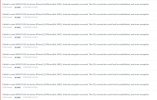
We are facing a situation where we periodically stop receiving PUSH notifications about calls on iOS devices.
The problem appears approximately every hour for 2-3 minutes.
All servers related to push notifications are added to exceptions on the firewall ( https://support.apple.com/en-us/102266 )
The problem does not depend on the mobile operator or wifi network.
Version: 18.0 Update 8 (Build 912) on Linux.
 

Attachments

  • apns.JPG
    apns.JPG
    140.1 KB · Views: 28
For Apple push notifications to be sent to the Apple APNs, the 3CX system must be able to communicate with them.

The first step is to check the following guide: https://www.3cx.com/docs/manual/firewall-router-configuration/ and ensure that the ports mentioned are not being blocked from your firewall.

Please also update the system to the latest version of U8 939 and check if there is a new IOS certificate under the update section of the management console.
 
Hi - I am also having this issue but it just recently started. We've been using 3CX for months, and there was never a problem. Then recently (approximately a week or two ago - I don't recall exactly), iPhones stopped getting calls. We can make calls from the app, and Android phones & the computer web app all work fine, but iPhones won't receive anything.

We have no firewall in the way, no changes were made to anything network related, and even with just operating on straight cellular signal from whatever provider, iPhones still do not receive any calls. It's either a change that Apple made, or 3CX made.

Please investigate.
Thanks
 
For Apple push notifications to be sent to the Apple APNs, the 3CX system must be able to communicate with them.

The first step is to check the following guide: https://www.3cx.com/docs/manual/firewall-router-configuration/ and ensure that the ports mentioned are not being blocked from your firewall.

Please also update the system to the latest version of U8 939 and check if there is a new IOS certificate under the update section of the management console.
Not the cause. I've checked for updates and our 3CX server says it's up-to-date. Also, check out my post below yours.
 
So, to clarify, you have checked that your firewall is not blocking any outbound traffic required for this?

Do you have a good primary DNS server assigned on the 3CX system machine, also?

Here, we can suggest that you use Google DNS (8.8..8.8) as the machine's primary DNS of the machine, and if you are not already doing so and change it, restart the machine.

  • Set the logging to verbose login mode from the management console > activity log > settings section and give the 3cx services a restart one more time.
  • Run a Wireshark capture from the same section, choose all interfaces from the drop-down menu, and start the capture.
  • Make a call from another internal extension to the extension that has the iOS app provisioned to it wai till the call goes to the vmail of the extension or whichever destination is set under that extension forwarding rules available tab.
  • End the call and stop the capture, then generate the support info, which will be emailed to the admin with a link to download.
  • Open the support info zip file, navigate to the Logs folder, and open the .pcap file on your desktop with Wireshark installed. Enter a search DNS and press enter.
  • Check which IP addresses were resolved for the Apple APS query, then search that IP in the capture (ip.addr==x.x.x.x). Do you see the good results?
  • Repeat the search for the AAA IPV6 address if enabled; again, what are the results?
 
To be
So, to clarify, you have checked that your firewall is not blocking any outbound traffic required for this?

Do you have a good primary DNS server assigned on the 3CX system machine, also?

Here, we can suggest that you use Google DNS (8.8..8.8) as the machine's primary DNS of the machine, and if you are not already doing so and change it, restart the machine.

  • Set the logging to verbose login mode from the management console > activity log > settings section and give the 3cx services a restart one more time.
  • Run a Wireshark capture from the same section, choose all interfaces from the drop-down menu, and start the capture.
  • Make a call from another internal extension to the extension that has the iOS app provisioned to it wai till the call goes to the vmail of the extension or whichever destination is set under that extension forwarding rules available tab.
  • End the call and stop the capture, then generate the support info, which will be emailed to the admin with a link to download.
  • Open the support info zip file, navigate to the Logs folder, and open the .pcap file on your desktop with Wireshark installed. Enter a search DNS and press enter.
  • Check which IP addresses were resolved for the Apple APS query, then search that IP in the capture (ip.addr==x.x.x.x). Do you see the good results?
  • Repeat the search for the AAA IPV6 address if enabled; again, what are the results?
To be clear, I'm not hosting the 3CX - we pay a provider. I've already notified them about the issue, but just posting here as well to show that the guy who started this thread is not the only one.

As mentioned, we've been using 3CX for months, and no issues until very recently. And even with using the cells on straight cell service (no wifi or internal networks involved) the iPhones still don't work.

Thanks
John
 
To be

To be clear, I'm not hosting the 3CX - we pay a provider. I've already notified them about the issue, but just posting here as well to show that the guy who started this thread is not the only one.

As mentioned, we've been using 3CX for months, and no issues until very recently. And even with using the cells on straight cell service (no wifi or internal networks involved) the iPhones still don't work.

Thanks
John
If you work with a 3CX partner, they can open a support ticket for us to check this for them/you.
 
Status
Not open for further replies.

Forum statistics

Threads
111,972
Messages
590,064
Members
164,886
Latest member
784