Assign to group when creating extension

Status
Not open for further replies.

ZenMasta

Customer
Joined
Mar 10, 2010
Messages
254
Reaction score
10
It seems the only way to add an extension to group is by
create extension
Go back to groups
assign user to group
go back to extensions rights
change group from drop down.

Seems like you should be able to a
 
When creating a new extension, why not copy an existing one with the correct settings.
 
  • Sad
Reactions: craigreilly
Brand new group, brand new extension. You cant copy something new. Seems like a reasonable request that you can assign the group when you create an extension.
 
  • Like
Reactions: craigreilly
Hello @ZenMasta

Actually the procedure is:
  1. Create new extension
  2. Assign to Group
  3. (Optional) Remove from Default Group
There is no need to go back to extension rights and select the Group. The extension is already in the Group. The reason you have a selection there is because your extension is part of 2 groups and you have control to change the rights for each group.

It is a reasonable request however so i would recommend up-voting similar feature requests in the Ideas forum. Here is one for example: https://www.3cx.com/community/threa...-group-etc-from-extension-setup-screen.53735/
 
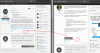
Thanks. However I don't see a like button.
 

Attachments

  • likebutton.png
    likebutton.png
    468.6 KB · Views: 15
  • Like
Reactions: Evolute IT
You should use the "Rate this thread" option above the users post.
 
Status
Not open for further replies.

Forum statistics

Threads
111,934
Messages
589,818
Members
164,811
Latest member
aurorasigntrtechitnet