ATA - Lyra DuoMulti

Status
Not open for further replies.

tobiastromm

Free User
Joined
Jun 26, 2010
Messages
149
Reaction score
1
Hi, I'm try to configure my new ATA to work with 3cx. Can someone help me?

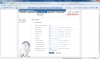
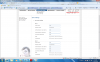
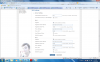
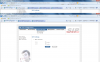
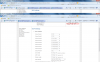
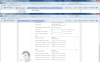
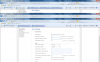
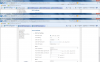
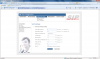
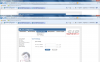
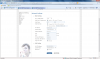
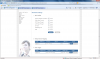
After I install and configure the ATA don't register on 3cx. I will put some images from configuration above.

I need to conect the network cable on the interface lan ou wan?
 

Attachments

  • ata1.png
    ata1.png
    179.7 KB · Views: 3,412
  • ata2.png
    ata2.png
    205.4 KB · Views: 3,411
  • ata3.png
    ata3.png
    208.1 KB · Views: 3,413
  • ata4.png
    ata4.png
    206.8 KB · Views: 3,412
  • ata5.png
    ata5.png
    201.2 KB · Views: 3,416
  • ata6.png
    ata6.png
    218.3 KB · Views: 3,411
  • ata7.png
    ata7.png
    244.9 KB · Views: 3,409
  • ata8.png
    ata8.png
    244.7 KB · Views: 3,411
If need more print please tell me.

My 3cx Server is 10.0.0.1 (servidor.tromm.local).
My netmask is 255.255.255.0

I have a Linksys SPA 3102 as a gateway PSTN working fine (10.0.0.101)
 

Attachments

  • ata9.png
    ata9.png
    174.8 KB · Views: 3,426
  • ata10.png
    ata10.png
    202.6 KB · Views: 3,425
  • ata11.png
    ata11.png
    164.7 KB · Views: 3,423
  • ata12.png
    ata12.png
    170.6 KB · Views: 3,422
Just quickly looking over it...

I would use the actual IP address (of your local PC running 3CX) for the server address. Change the port number of the second device from 5060 to 5061, and change the codec order so that the G711U & A codecs are first and second choice.

Normally you would use the WAN port, at least to begin with, the LAN port can be set on some devices to be a router with DHCP server. You can usually set the port to bridge mode if you don't need the router function.
 
Just quickly looking over it...

Thank You for answer!

I would use the actual IP address (of your local PC running 3CX) for the server address. Change the port number of the second device from 5060 to 5061, and change the codec order so that the G711U & A codecs are first and second choice.

I have already try to change the name to the IP address but still don't work... Try to change the codecs priority too...

The port 5060 is not a default por where 3CX listening for SIP conections? Or i need to use a diferent por for any device? Anyway I try to change the second port for 5061 but still don't work...

I make some test. If I put on my ATA device a valid username with incorrect password, the 3CX log register:

00:19:45.191 [CM102001]: Authentication failed for SipReq: REGISTER 10.0.0.1 tid=1a6077500002 cseq=REGISTER [email protected]:5060 / 765893346 from(wire); Reason: Credentials don't match, check that authorization-ID and password match the ones in extension settings

But, if I put a correct password 3CX log don't register anything (try verbose mode too)! Why?

The ATA can't register on 3CX. I make another thest, I try to call from a telephone conected to the ATA and it works (for internal phones and outside! But this telephone can't receive calls of cource because it is unregistred...

Help :P

Tobias
 
If your device has two ATA's (which your looks like it does), then each one will have to have it's own, unique, port number. I'm not talking about the port 5060 that the ATA registers with at 3CX.

If you are unable to change the order of the codecs then I am suspicious that this device may be semi-locked to a VoIP provider.

You will have to use the internal IP of your 3CX PC as using a URL will cause the ATA to make a request to a DNS server resulting in your public IP, not the private internal IP.

You are using this device behind your existing router, correct?

What do the initial registration attempts look like in the 3CX log?
 
Hi,

I`m using the device inside of my local network...

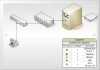
I make a picture... Tell me if you understand.

I change servidor.tromm.local to 10.0.0.1, but still not work.
 

Attachments

  • desenho.png
    desenho.png
    54.1 KB · Views: 3,360
Yes, that is the way you should be hooking it up. I added to my previous response. Are you attempting to register both ATA's?
 
I can change codec priority, I don't speek english. Maybe I have used the incorrect word.

See the log file:

Restart 3CX Server with log verbose mode:

15:21:41.812 Active calls counted toward license limit: []
15:21:24.421 [CM504001]: Ext.IVRForward: new contact is registered. Contact(s): [sip:[email protected]:40600;rinstance=dac2ee00ce2e009c/IVRForward]
15:21:24.421 [CM504001]: Ext.EndCall: new contact is registered. Contact(s): [sip:[email protected]:40600;rinstance=c2219c85a3c0f5fd/EndCall]
15:21:24.390 [CM504001]: Ext.999: new contact is registered. Contact(s): [sip:[email protected]:40600;rinstance=fd7e4476ab6944c0/999]
15:21:11.468 Active calls counted toward license limit: []
15:21:01.734 [CM504001]: Ext.*1: new contact is registered. Contact(s): [sip:*[email protected]:40000;rinstance=c2c9409561d5c3e3/*1]
15:21:01.734 [CM504001]: Ext.*0: new contact is registered. Contact(s): [sip:*[email protected]:40000;rinstance=453559d2ae49f214/*0]
15:20:54.984 [EC200005]: Parking Orbit server is connected: application:servidor:0/3CXParkOrbit local:127.0.0.1:5482 remote:127.0.0.1:21084
15:20:53.890 [EC200004]: IVR server is connected: application:servidor:0/IVRServer local:127.0.0.1:5482 remote:127.0.0.1:21083
15:20:52.312 [CM504008]: Fax Service: registered as sip:[email protected]:5060 with contact sip:[email protected]:5100;user=phone
15:20:49.468 IP(s) added:[10.0.0.1,192.168.0.4]
15:20:48.562 [EC200006]: Conference server is connected: application:servidor:0/3CXConferenceRoom local:127.0.0.1:5482 remote:127.0.0.1:21078
15:20:42.421 [CM306003]: SIP IP:port mapping (187.4.242.189:60746) resolved by STUN server 96.9.132.83:3478 differs from the one (187.4.242.189:60747 resolved by STUN server 75.101.138.128
15:20:42.093 [EC200002]: Media server is connected: application:servidor:0/MediaServer local:127.0.0.1:5482 remote:127.0.0.1:21076
15:20:41.828 [CM506002]: Resolved SIP external IP:port (187.4.242.189:60746) on Transport 192.168.0.4:5060
15:20:41.375 Active calls counted toward license limit: []
15:20:41.140 [CM506001]: STUN request to resolve SIP external IP:port mapping is sent to STUN server 96.9.132.83:3478 over Transport 192.168.0.4:5060
15:20:39.875 Transport [ V4 192.168.0.4:5060 UDP target domain=unspecified mFlowKey=640 ] is joined to SIP multicast group
15:20:39.875 Transport [ V4 10.0.0.1:5060 UDP target domain=unspecified mFlowKey=600 ] is joined to SIP multicast group
15:20:39.375 [CM501007]: *** Started Calls Controller thread ***
15:20:39.375 Failed to obtain short path name for [C:\Documents and Settings\All Users\Dados de aplicativos\3CX\Bin\Cert]
15:20:39.375 [CM501006]: Default Local IP address: [10.0.0.1, 192.168.0.4]
15:20:39.375 [CM501002]: Version: 8.0.10708.0
15:20:39.375 [CM501001]: Start 3CX PhoneSystem Call Manager
15:20:39.140 [CM501010]: License Info: Load Failed

Turn on the ATA device (configured to extension 103 with correct password):

15:23:13.984 Active calls counted toward license limit: []
15:22:43.906 Active calls counted toward license limit: []
15:22:38.578 [CM504001]: Ext.101: new contact is registered. Contact(s): [sip:[email protected]:41340;rinstance=7c061347d00f8a80/101]
15:22:11.906 Active calls counted toward license limit: []

The extension 101 is my laptop, nothing appears about the ATA device!

Making external call from ATA telephone (working fine) (calling external number 10314):

15:26:41.015 [CM503008]: Call(1): Call is terminated
15:26:34.406 Session 31 of leg C:1.1 is confirmed
15:26:34.312 [CM503007]: Call(1): Device joined: sip:[email protected]:5062
15:26:34.296 [CM503007]: Call(1): Device joined: sip:[email protected]:5060
15:26:34.296 [MS210007] C:1.1:Answer provided. Connection(by pass mode): 10.0.0.101:16424(16425)
15:26:34.296 [MS210001] C:1.2:Answer received. RTP connection[unsecure]: 10.0.0.101:16424(16425)
15:26:34.296 Remote SDP is set for legC:1.2
15:26:34.296 [CM505002]: Gateway:[SPA3102] Device info: Device Identified: [Man: Linksys;Mod: SPA Series;Rev: General] Capabilities:[reinvite, no-replaces, able-no-sdp, recvonly] UserAgent: [Linksys/SPA3102-5.1.10(GW)] PBX contact: [sip:[email protected]:5060]
15:26:34.296 [CM503002]: Call(1): Alerting sip:[email protected]:5062
15:26:34.234 [CM503025]: Call(1): Calling PSTNline:10314@(Ln.10000@SPA3102)@[Dev:sip:[email protected]:5062]
15:26:34.234 [MS210006] C:1.2:Offer provided. Connection(by pass mode): 10.0.0.110:7000(7001)
15:26:34.203 [CM503004]: Call(1): Route 1: PSTNline:10314@(Ln.10000@SPA3102)@[Dev:sip:[email protected]:5062]
15:26:34.203 [CM503010]: Making route(s) to <sip:[email protected]>
15:26:34.203 [MS210000] C:1.1:Offer received. RTP connection: 10.0.0.110:7000(7001)
15:26:34.203 Remote SDP is set for legC:1.1
15:26:34.203 [CM505001]: Ext.103: Device info: Device Not Identified: User Agent not matched; Capabilities:[reinvite, replaces, able-no-sdp, recvonly] UserAgent: [ATA] PBX contact: [sip:[email protected]:5060]
15:26:34.171 [CM503001]: Call(1): Incoming call from Ext.103 to <sip:[email protected]>
15:26:34.046 [CM500002]: Info on incoming INVITE:
INVITE sip:[email protected] SIP/2.0
Via: SIP/2.0/UDP 10.0.0.110:5060;rport=5060;branch=z9hG4bK404c49cc00003
Max-Forwards: 70
Contact: "SPA"<sip:[email protected]:5060>
To: <sip:[email protected]>
From: "SPA"<sip:[email protected]>;tag=cf18928
Call-ID: [email protected]
CSeq: 1439100651 INVITE
Allow: INVITE, ACK, BYE, CANCEL, OPTIONS, SUBSCRIBE, REFER, NOTIFY, PRACK, UPDATE, MESSAGE, SERVICE, INFO, PING
Proxy-Authorization: Digest username="103",realm="3CXPhoneSystem",uri="sip:[email protected]",nonce="414d535c0253d85996:ce17ef469fc5a38dd239cf739e5a03f5",response="b98f47eac9e28365ff5d21e1ff4ec8b8"
Supported: 100rel, replaces
User-Agent: ATA
Allow-Events: refer
Content-Length: 0

Restart the ATA device with wrong password:

15:29:42.000 [CM102001]: Authentication failed for SipReq: REGISTER 10.0.0.1 tid=2200cbaf00001 cseq=REGISTER [email protected]:5060 / 1956736867 from(wire); Reason: Credentials don't match, check that authorization-ID and password match the ones in extension settings
 
tobiastromm said:
15:20:39.375 [CM501006]: Default Local IP address: [10.0.0.1, 192.168.0.4]

Why do you have the two ranges of IP addresses, the 10.0.XX.XX and the 192.168.XX.XX? Why not stick to just the 192.168...range for all devices? Your subnet mask may be causing some issues because of this.
 
This computer have two NIC adapters, to filter the internet content on the lan (squid proxy).

The 192.168.0.4 / 255.255.255.0 is for INTERNET.

The 10.0.0.1 / 255.255.255.0 is from LOCAL NETWORK.

But, this is not the problem, I have made a test install 3CX Server on my laptop and plug the ATA directly, the same error occurs.
 
15:29:42.000 [CM102001]: Authentication failed for SipReq: REGISTER 10.0.0.1 tid=2200cbaf00001 cseq=REGISTER [email protected]:5060 / 1956736867 from(wire); Reason: Credentials don't match, check that authorization-ID and password match the ones in extension settings[/quote]

I don't see anyplace to set a port number for port 2 in the device. I would disable port 2 for the time being (Ext 102) and concentrate on getting the first line (Ext 103) working as both ports may be trying to register using the same (port 5060) number. I assume you have left the password, for the time being, at the default, of the extension number. Try re-entering it in both locations or change to another very simple password in both the ATA and 3CX. Be sure to use the IP of 3CX in the Registrar Server Address
 
Ei man...

I think you are not understand me... it's my english... bad bad english...

My point of post the log is to you see, when I put the correct of the extension password at the ATA device the log don't show anything about registration process.

And if I put a wrong password at the ATA, the log show the error.

I already have made disabled the second line registration.
 
I publish the ATA device web interface if you want to see:

http://tromm.no-ip.org:8080

Be my guest to change any value.

The user is admin and password admin

3CX extension phone information:

User: 103
Password: 103
 
I would be leery about posting details like that on the forum. There have already been reports of hackers getting into peoples systems.

So if you put in the correct password you see no sign of a registration attempt in 3Cx, correct?

It seems like that ATA isn't even sending out a request then. What you should think about doing is run Wireshark (use a hub not a switch) on your network and see if the ATA is sending out any sort of a request, on a re-boot, (to a different IP?), when you have the correct password in. I have no idea why it would be, but going by the 3CX logs (nothing), the request isn't getting there or you should see something.
 
I will install the program tonight and send you the log.

But, think with me, if the 3CX log register the attemp with incorrect password, why not register the attemp with correct password?

I think that proves that ATA is sending the register of request.

We will see.

Thank You again.

Tonight I post the result.
 
Good Night!

Like I promess...

I find two lines about SIP:

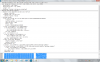
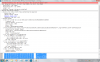
-> I think this is the request:


-> I think this is the answers:


Regards.
 

Attachments

  • request.png
    request.png
    116.8 KB · Views: 1,237
  • answers.png
    answers.png
    120.2 KB · Views: 1,237
I assume that these are the logs with the correct password in place. And after this you still don't see anything in the 3CX log indicating a registration (failed or otherwise) attempt?
It may be grasping at straws, but have you tried, in the SIP settings of your device, leaving the Proxy server and port info blank. That info wouldn't be necessary the way you are using the device anyway. I don't know if it will make any difference. It's just very odd that 3CX doesn't show the ATA trying to register when you use the correct password.
 
Yes, I made the Wireshark test with the correct password...

3CX log no show the attemp to register...

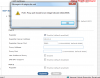
I try to remove the proxy server and the port but there is a validation:
 

Attachments

  • validacao.png
    validacao.png
    49.9 KB · Views: 1,243
Sorry, I'm stumped as to where to go next. Without the 3CX logs even indicating that it is receiving a registration request, I don't know how you would proceed to troubleshoot. I would have to make the assumption that the request just isn't getting through for some reason, which doesn't make a whole lot of sense, since a request with the wrong password obviously is with no other changes to network settings on the ATA. Perhaps someone else on the forum has had some personal experience with this particular ATA and can provide some insight. Is this ATA normally used with a particular VoIP provider?

On the ATA, SIP settings, can you choose both UDP and TCP or just one or the other? You might try selecting both (if possible) or try changing to TCP.

In the Network Settings/WAN Setting, try changing that to Bridge mode (leaving everything else the same), don't know if that will make any difference or not. Usually when a device can also function as a router that sort of setting refers to the LAN port.
 
Hi,

I'll be giving this a shot if you don't mind me logging in to your ATA.
 
Status
Not open for further replies.

Latest Posts

Forum statistics

Threads
112,333
Messages
591,931
Members
165,488
Latest member
jb_erp