Attempts at intrusion in my PBX Administrator page

Status
Not open for further replies.

NevadaMilitTestAerobase

Free User
Joined
Oct 6, 2019
Messages
4
Reaction score
0
HI;

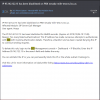
I would like to know why I continue to receive emails whose object is the ban of an IP address and User Agent unknown to me, for having made too many incorrect Login attempts.
Are they intrusive?

In fact if I open nevada-milit-test.nv.3cx.us page (control page of my PBX) from any computer, I am not asked for access data and I can directly open the control panel with even private keys.

Is this normal? I would also like to know if calls have been made, even if the logs do not appear (but may have been canceled) or paid transactions from my account (I did not do either one or the other, since I had problems with the softphone).

Thank You.
 

Attachments

  • 3cx.PNG
    3cx.PNG
    80.6 KB · Views: 12
So the message is pretty self explanatory. Something from the listed IP address tried to authenticate via SIP and was banned. Typically just script kiddies scanning for open SIP ports
 
A couple of points to look at for beefing up security on your system (some related to your error some not but need addressing):

1) If not already upgrade to v16 and use the new feature for only allowing certain IP's to view the systems management page, nevada-milit-test.nv.3cx.us is currently open on HTTPS so go to Settings >> Security Settings >> Console restrictions (this settings is off by default).

2) In regards to your SIP port 5060 possibly being scanner-able the following can be done.

Either use a custom port (not my preferable option but at least the most well known SIP port is not available to all).

Or do what I do and connect my onsite clients either by SBC or VPN (VPN I prefer) use a software firewall in front of your instance and block all traffic to those ports except those I have pre-authorised by the client.

This way 5060, is not available or even visible from the outside world by scanners.

Try a bit of ethical hacking out for yourself on your system, it will assist in troublshooting these issues.
https://www.kali.org/
 
Now I can no longer view my nevada-milit-test.nv.3cx.us page

Why and what should I do?

[...]
Or do what I do and connect my onsite clients either by SBC or VPN (VPN I prefer) use a software firewall in front of your instance and block all traffic to those ports except those I have pre-authorised by the client.

This way 5060, is not available or even visible from the outside world by scanners.

Try a bit of ethical hacking out for yourself on your system, it will assist in troublshooting these issues.
https://www.kali.org/

From which site or page can I carry out these operations?

Thank you all for your help.
 
Now I can no longer view my nevada-milit-test.nv.3cx.us page

Why and what should I do?


From which site or page can I carry out these operations?

Thank you all for your help.
This sounds like something inside your network tried too many times and blocked your own IP.

try accessing the URL from a cell phone not using your WiFi. From there click on the IP Blacklist and remove your own IP from it.
 
This sounds like something inside your network tried too many times and blocked your own IP.

try accessing the URL from a cell phone not using your WiFi. From there click on the IP Blacklist and remove your own IP from it.
I never access with the same IP because I use the encrypted VPN. So, I don't know why I can't access.
Will they have blocked all addresses except theirs?
 
I never access with the same IP because I use the encrypted VPN. So, I don't know why I can't access.
Will they have blocked all addresses except theirs?
Something is not right. Using this link

https://nevada-milit-test.nv.3cx.us/#/login

Your page is accessible, so the IP you are accessing from is most likely blocked. Again, please try accessing that link via a device on a different network such as a cell phone and try that.
 
Something is not right. Using this link

https://nevada-milit-test.nv.3cx.us/#/login

Your page is accessible, so the IP you are accessing from is most likely blocked. Again, please try accessing that link via a device on a different network such as a cell phone and try that.

Yeah! With this link I can log in with my credentials.
Now how can I block all traffic on port 5060 except for the pre-authorized one?
Thanks.
 
Yeah! With this link I can log in with my credentials.
Now how can I block all traffic on port 5060 except for the pre-authorized one?
Thanks.
That is a function of your firewall not of 3CX.
 
Just a bit of information in regards to accessing your user interface. Bar the IP blacklist blocking as previously advised two other things could effect this.

* HTTPS: The access browser uses HTTPS for access, if this is not accessable (again firewall normally) then you will not be able to view it.

* DNS: If you FQDN cannot resolve correctly to public IP this will also effect this, do an nslookup if you get the issue again and see if this is OK, FYI you are using a 3CX provided FQDN so DNS is managed
by them.

Your 5060 needs blocking yes, however if you are hosting where are you hosting and do you have a firewall (software like PfSense) or no firewall and just IP Tables/Windows firewall ?
 
Last edited:
Status
Not open for further replies.

Latest Posts

Members Online Now

Forum statistics

Threads
111,861
Messages
589,439
Members
164,701
Latest member
yarusemiKK