audio-in not good, audio-out good

Status
Not open for further replies.

0zzy

Joined
Mar 29, 2017
Messages
14
Reaction score
0
Hi, very often, when we receive a call our customers can hear us very well, but we can't hear them so good becouse the voice is intermitted.
The same problem happen with two different trunk provider.and Internet connection is fine, and also 3cx internal server is not busy.

What else can i check ?
 
Hello @0zzy

The way to see where the bad audio comes from is by using wireshark to capture the traffic on the PBX server. Then you can decode it by call legs and listen to it. That way you will determine where the bad audio is coming from.
 
Hi YiannisH_3CX, what kind of information have i to search? filtering for a specific protocol or port or someting particular?

I have seen there is a dedicated tab for voip calls, i will check there
 
Last edited:
Have you tried eliminating/swapping any hardware on your network, switches and the like? Is this an issue that just started happening? If so, were there any changes made on your network?
 
no, our customer care is directly attached at the main switch.
This issue is present from the beginning when 3cx was installed from our it partner, but this does not happen continuosly.
I think wireshark could be useful to understand (dropped frames or something else) but i don't know what else check.with it
 
Have you ever run any sort latency tests on your broadband connection? There are a number of "free" ones available, if you do a search. Can't vouch for any in particular, but if you try a few, and results are consistent in showing a problem, you might want to talk to your provider, or have your network "reviewed".
 
Hi YiannisH_3CX, what kind of information have i to search? filtering for a specific protocol or port or someting particular?

I have seen there is a dedicated tab for voip calls, i will check there

There is a tab for voip calls but if you are not familiar with wireshark then it won't be easy to extract the audio and see where the issue originates.
You will need someone who is familiar to guide you through the procedure or some time in google to familiarise your self with the procedure.
 
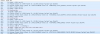
Hi iannisH_3CX, i have taken a log during the comunication issue. There are a lot of error with GVSP protocol (?) as you can see on the attachment below.
 

Attachments

  • 2017-04-05 10_59_57-10.1.254.235 - Connessione Desktop remoto.png
    2017-04-05 10_59_57-10.1.254.235 - Connessione Desktop remoto.png
    21.6 KB · Views: 9
Have you tried eliminating/swapping any hardware on your network, switches and the like? Is this an issue that just started happening? If so, were there any changes made on your network?

Hi leejor, are you talking about a speed test on our hdsl? is the first test i make when the issue happen to exclude bandwith problem. But it is alsway at full speed.
 
Speed test is one thing, a latency/jitter test would highlight possible causes of voice issues
 
Speed test is one thing, a latency/jitter test would highlight possible causes of voice issues
Can you suggest me sometihing to try?
 
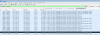
I have filtered a conversation, and as you can see there are a lot of malformed packets from 3cx ip to client ip, could it be useful?
we need to solve this issue, can i open a ticket to the official support?
 

Attachments

  • 2017-04-12 10_43_30-10.1.254.235 - Connessione Desktop remoto.png
    2017-04-12 10_43_30-10.1.254.235 - Connessione Desktop remoto.png
    58 KB · Views: 4
To open a support ticket you need to either be a partner or have a support contract or find a partner who will open a ticket for you.
 
Status
Not open for further replies.