Auto Provisioning of Fanvil X3S Issue with 3CX

Status
Not open for further replies.

Kwang Mien

Silver Partner
Advanced Certified
Joined
May 14, 2020
Messages
255
Reaction score
17
Hi,

I am trying to auto-provision my Fanvil X3S by doing the steps below. However, after restarting the phone, the phone is not provisioned.

Did I miss out any step or are there any logs in 3CX to find out the error for the provisioning ?

1. Factory reset Phone
2. Upgrade Firmware of Fanvil X3S to the latest firmware
3. Login to 3CX portal
  • Go to Phones => Add Phones
  • Select the Extension
  • Select model as Fanvil X3S
  • Input MAC Address of the phone
  • At Extension => Phone Provisioning, Under IP Phone, for Provisioning Method, select “Direct SIP (STUN-remote)"
  • Copy Provisioning Link URL into clipboard
  • Go To Options Tab and Uncheck “Disallow use of extension outslide the LAN”
4. Login Phone Portal
  • Under System->Auto Provision and Under Static Provisioning Server, Input Provisioning Link URL
  • Press Apply
  • Restart Phone


Thanks.

Regards,
Kwang Mien
 
Hi Kwang,

You are not auto-provisioning the phone.
After you Factory reset and upgrade to the recommended firmware, why aren't you using the RPS method described here?
https://www.3cx.com/sip-phones/fanvil-x3-x5/#h.kaj5m6i41no9

Try this method and see how it goes.

If it still fails, pleas tell us:
  • Is the 3CX Management Console accessible from the location where the IP Phone is?
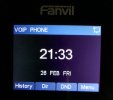
  • What appears on the IP Phone display, do you see the name and extension number you have given the extension in 3CX? (screenshot would help)
 
Hi Nick,

I followed the URL that you have shared. However, after entering the username (Extension number) and password (voicemail pin), phone is still not provisioned. I did not see the name and extension number.

Please refer to the attached screen shot.

The IP Phone is able to reach the 3CX Management Console.

Regards,
Kwang Mien
 

Attachments

  • screenshotFanvil X3S.jpg
    screenshotFanvil X3S.jpg
    59.5 KB · Views: 4
The IP Phone is able to reach the 3CX Management Console.
May I ask, how did you test this?

Also a few more things:
  • Is the phone currently on the same LAN as the PBX?
  • Are you using a 3CX FQDN or a Custom FQDN?
  • If you are using a Custom FQDN, is the Certificate "trusted" by your Fanvil X3S?
 
Hi Nick,

Previously, i configure the provisioning url link manually into the phone. Then I did a tcpdump capture at the 3CX (Debian Linux). After the phone reboots, i was able to see the phone communicating with the 3CX on port 5001.

a. the phone and the 3CX are on different LAN. the 3CX is in the public network, while the phone is in a local network.
b. we are using a customer FQDN

c. Can i check how do i find out if the certificate is trusted by Fanvil X3S ?
 
b. we are using a customer FQDN

c. Can i check how do i find out if the certificate is trusted by Fanvil X3S ?
You will need to ask Fanvil or check their documentation.

What I can tell you for sure is that the Let's Encrypt certificates we use for the 3CX FQDNs work.
If you want to save yourself some trouble, maybe you might want to consider installing using a 3CX FQDN.
 
Thanks for the suggestion. It is a production 3CX so changing the domain would be difficult.

i did more test and found that some phones were able to provision while some couldn't using the manual way as I have stated in my 1st Thread.

Can I check if there are any logs to confirm that this is a certificate issue ? or is there other provisioning settings need to be configured.
 
If it's a certificate issue that would show in the device having the issue, aka the phone.
 
You will need to ask Fanvil or check their documentation.

What I can tell you for sure is that the Let's Encrypt certificates we use for the 3CX FQDNs work.
If you want to save yourself some trouble, maybe you might want to consider installing using a 3CX FQDN.
I tested on another 3CX using the same certificate and there is no provisioning issue using the manual way of provisioning.

Can you advise ?
 
Sounds like a DNS issue.
 
The phone does not seem to provision as was mentioned above.

You saw that the phone reached the PBX on 5001, but you did not say what happened afterwards.

If you still have that capture, you will probably see the TLS handshake fail..
 
Status
Not open for further replies.

Members Online Now

Forum statistics

Threads
111,834
Messages
589,287
Members
164,663
Latest member
svdDGS