Unfortunately a welcome email will only allow me to make calls, but I cannot see what the system does.
I think the best thing to do is the following, at a time when it's quiet and not many calls are running or after business hours:
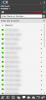
- Go to Activity Log and click Purge to clear the logs
- Click the Settings icon to change logging to "Verbose" mode
- Click on the Capture Icon to start a capture
- Make a call in the same way to replicate the problem (just like you described it)
- When all is done, and you reject the calls and the redialling finally stops, you can now also stop the capture and click the link that will appear to download the capture file
In the Activity log, if you click Filter and then look at Search by call:
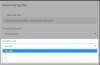
If nobody was using the system at the time except you, I would expect to see only one call there, and I can select it to see how many times the PBX tried to send a call out via your provider.
If you see more than one call, you can filter by call and look at the logs carefully to see
- Who made the call (caller)
- Where the call was made to (callee)
- What reply you got
The capture file that you downloaded earlier, can also be analyzed in wireshark, and can show you what the PBX sent to the outside world.
I hope this helps you to figure out what is happening, otherwise I would suggest to open a ticket with 3CX support if you feel this is something that you need a more experienced person to investigate for you.
NOTE: Please do not post the capture or logs on the forum, it will reveal private information of your system that should not be made public.
I hope thi