Auto switching with Holidays

Status
Not open for further replies.

eagle37

New User
Joined
Jul 2, 2020
Messages
52
Reaction score
5
I believe I found a bug:

Our office often closes early the day before a holiday.
ie: we normally close at 4pm on a Friday, but with a monday holiday, we close @ 3pm.

So, I setup 3 holiday recordings because the option to span days doesn't allow for times:
1. A holiday recording to start at 3pm on Friday to midnight.
2. Same recording for Saturday through Monday
3. Same recording for Tuesday midnight to 8am

On the first day the holiday recording is configured (Friday in my example), auto switching does not work to make extensions available when we open that morning @ 8am, even though the holiday recording doesn't start until 3pm. I have to manually make extensions available that morning. Auto switching works fine to make extensions available on the final day (Tuesday morning in my example) when we open. The holiday recording plays properly, as configured/expected.

Please help! Thank you in advance.
 
Hi @eagle37

Your regular schedule should still apply from until Friday 15:00 when the Holiday should kick in.

So if I understood correctly, this was set up beforehand say, on Thursday?

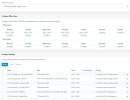
Kindly let me know the version of your PBX, and also post a screenshot of the "Timezone & Office Hours Settings" page on your PBX.
 
I schedule all the holiday recordings for the year in January, so it's scheduled well in advance.
Version is Standard Annual 16.0.7.1078 but this problem also existed in at least the last 2 versions, as well.
 

Attachments

  • 3cx holiday screenshot.jpg
    3cx holiday screenshot.jpg
    144.4 KB · Views: 20
I don't see any recent ones in the screenshot, only see stuff for November 2021 onwards.

Or were you referring to a past experience?
 
Yes. You are just seeing the top of the list that is scheduled out for 2021.The problem reproduces itself on the morning of every holiday recording that starts later in the day.
 
Question: In the morning when the phones do not auto-switch to available do you hear the holiday prompt or is it just out of office hours?
 
Hi @eagle37

I was able to replicate the behavior as you described it so it looks like a bug. It will be fixed in V18 so until then i suggest you keep an eye on the holidays that start in a working day.
Thank you for reporting and apologies for the inconvenience.
 
In Russia, the working day is often moved to Saturday. For example: February 23 (Tuesday) is a holiday. To make the weekend longer, Monday, February 22, is made a weekend, but for this, February 20 (Saturday) will be a working day. I can add February 22 and 23 to the calendar as a holiday, but I can only make February 20 (Saturday) a working day manually. You can't set up additional business days in the 3CX calendar.
many of our customers suffer from this.
 
Thank you for fixing this! I look forward to the patch. As a feature suggestion, could we get hours combined with day spans that I wouldn't have to create 3 holiday entries for 1 long weekend as I am now? TY
 
As a feature suggestion, could we get hours combined with day spans that I wouldn't have to create 3 holiday entries for 1 long weekend as I am now?
Feature requests need to be created in the "Ideas" section. If you don't have access, you need to contact a 3CX Partner to open it for you, but most of the times our Partner may have a solution for you as they deal with customer requests all the time.
All in all, having a 3CX Partner assisting you and looking after your 3CX installation is a good investment.

This specific request I think is not needed, currently the Holiday options are:
  • Single Day: where you select a day and the exact hours of that day
  • Range of Days: you select a range of consecutive days, and each day is considered the full 24 hours of it.
so I don't think this feature request would be accepted.
 
Status
Not open for further replies.