- Joined
- Apr 17, 2019
- Messages
- 13
- Reaction score
- 5
Hello,
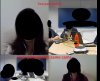
I would like the video conferencing screens to adjust themselves automatically, without me having to click on the blue box(image bellow) to adjust the image every time.

If I am using a camera with good quality and resolution, every time the meeting starts, I need to click on the blue box to have view a full image. Imagine a meeting with several participants this becomes a nuisance.
And even clicking on the blue box, in the meeting recording will not appear all images.
I would like the video conferencing screens to adjust themselves automatically, without me having to click on the blue box(image bellow) to adjust the image every time.
If I am using a camera with good quality and resolution, every time the meeting starts, I need to click on the blue box to have view a full image. Imagine a meeting with several participants this becomes a nuisance.
And even clicking on the blue box, in the meeting recording will not appear all images.