Solved Backup and Restore

Status
Not open for further replies.

Justin D

Customer
Joined
Dec 12, 2017
Messages
61
Reaction score
7
We are currently running on a cloud server with 1and1 and, unfortunately, it turns out that I will have to delete the instance and setup again with Debian 9 as 1and1 have disabled the option to upgrade the distribution directly...

For some reason, as mentioned in posts before, we seem to have ended up running a Beta version - 15.5.10244.4 - and only have the option to go to 15.5 SP5 Beta in updates. This was originally installed using the PBX Express tool back in December, and the update URL doesn't have Beta appended so I don't really know how his happened.

Anyway, am I correct in thinking, judging from some other threads, that the 3CX backup from our Beta version can't be used to restore to a new 3CX setup?

If so, is there anyway to do a backup that can be used to save having to set up everything again?
 
Hello @Justin D

If you have SSH access to the machine you can check if your repository is correct. To do so type
Code:
nano /etc/apt/sources.list.d/3cxpbx.list

Since you are on Debian 8 you should have the following listed:
Code:
deb http://downloads.3cx.com/downloads/debian jessie main

You can also check what the available versions for installation by running the following:

Code:
apt-get update
apt-cache policy 3cxpbx
This should the available versions for installation are.
Before doing anything however i would recommend creating a backup. Normally restoring a Beta backup is not a good idea but keep a backup just in case. You should be able to update the PBX to a stable version using the above and create a backup of that before upgrading your Debian OS.
 
Thanks.

I'll have to try that over the weekend of the 29th as I'm on leave from Friday and running out of time to do things at the moment lol!
 
Let us know if you face any issues at that time.
 
I had some free time last night so had a look at what you suggested - the 3cxpbx.list file was nothing like you said.

I altered it as per your text above and ran the updates etc, and we're now at 15.5.13103.5 plus I've managed to get the phone firmwares updated too, so I feel much happier leaving it for a couple of weeks until I can reload the VPS.

Thank you for your help Yiannis.
 
Glad i could assist. Let us know how the update to Debian 9 goes as well
 
Hi guys,

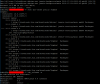
I am having a similar problem and was linked to this thread. I have attached some output from my 3CX instance. I really want to avoid having to rebuild the entire instance so can this be avoided given the attached? Do I just need to change my 3cxpbx.list to match the above?2018-10-09 09_50_53-Window.png 2018-10-09 09_58_53-Window.png
 
Just to add, I have upgraded my Deian to 8.11 as it was not running the latest.
 
I changed ours to

deb http://downloads.3cx.com/downloads/debian jessie main

And was able to update fully (it looks like yours is set for Beta versions) but I've since done a backup and reset our VPS as Debian 9, installed the new version of 3CX, and restored successfully.
 
  • Like
Reactions: YiannisH_3CX
Just to add, I have upgraded my Deian to 8.11 as it was not running the latest.
The first thing to do is scenarios like these where changes to the OS are required is to create a full backup of the system and save it to an external source.
Then follow the steps mentioned above by changing the source list and you should be able to upgrade.
 
So last night I made the changes to the file and it worked a treat. All updates were back! Upgraded to SP5 last night and will let that bed in for a few weeks before going to SP6.

Thanks for the assist there @YiannisH_3CX! Saved me a lot of time and energy having to redeploy through PBXpress and then restore from the backups.
 
Glad to see the issue has been resolved.
 
Status
Not open for further replies.

Members Online Now

Forum statistics

Threads
111,860
Messages
589,437
Members
164,700
Latest member
Apollo Cloud