Backup to local NAS

Status
Not open for further replies.

blondie63

Customer
Joined
Dec 29, 2019
Messages
11
Reaction score
0
Hi, i've a 3cx standard v16.0.493 installed on a Intel NUC on my local network
On same network i've also a Synology NAS and i want to make backup here
I've tried FTP, FTPS, SMB but nothing works !

I'm sure that setting on my NAS are correct because i've tested with a browser.. but 3cx don't want to send backups
There's no good log to understand why..

Some help ?
 
The Synology should have logs to tell you why it's not working. Browser can't test SMB so I wouldn't say that's a very good test.
 
  • Like
Reactions: Evolute IT
I've tested SMB using a PC on lan
I've tested ftp with browser..
can you agree with me that an error message "unable to connect to SMB" is not a useful message?

Anyway, 3cx backup FTP with my parameters is accepted but i receive this email:
3CX Phone System tried to backup but failed due to the following reason(s):
FluentFTP.FtpCommandException: /test3.zip: Permission denied.
at FluentFTP.FtpClient.OpenPassiveDataStream(FtpDataConnectionType type, String command, Int64 restart)
at FluentFTP.FtpClient.OpenDataStream(String command, Int64 restart)
at FluentFTP.FtpClient.OpenWrite(String path, FtpDataType type, Boolean checkIfFileExists)
at _3cxFilesystemImplementations.FTP.FtpFilesystem.CreateFile(String filename)
at ManagementConsoleJS.Services.BackupService.Backup(BackupDescription backupDescription)
 
3CX Phone System tried to backup but failed due to the following reason(s):
FluentFTP.FtpCommandException: /test3.zip: Permission denied.
Permission denied...

Check your FTP directory/users and make sure the directory is writeable and the user authorized to write in there.
 
  • Like
Reactions: BrenttG
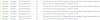
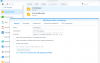
the 3cx log message is wrong ! my user has full permission and login to my NAS, look:
13666
The problem is a wrong protocol by FluentFTP client, i think !
Normally to set up an FTP connection you need several parameters such as the port.
I think the backup configuration of 3cx should be improved
 
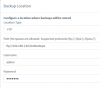
Coincidentally I transferred my backup location from local folders to Synology NAS using FTP a couple of days ago, so I can confirm it works! 3CX 'location' part looks like this:

13667
 
Coincidentally I transferred my backup location from local folders to Synology NAS using FTP a couple of days ago, so I can confirm it works! 3CX 'location' part looks like this:

View attachment 13667
Hi, can you publish a screenshot of your Synology FTP settings ?
Have you also tried SFTP ?
Thanks
 
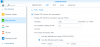
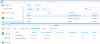
I only use FTP (and only access files via the management GUI or FTP). Additionally I only use an admin account as I'm the only user (probably shouldn't though!). Synology screenshots attached, incidentally I got exactly the same error message as you when I first set this up as I had forgotten to create the shared folder.

13670
13671
13672
 
ok i understood the problem, folder name is case sensitive !
Thanks
 
Status
Not open for further replies.

Forum statistics

Threads
111,935
Messages
589,823
Members
164,816
Latest member
natedog