Solved Barge in, listen or whisper not working

Status
Not open for further replies.

Jebalia Oussama

Customer
Advanced Certified
Joined
Feb 9, 2021
Messages
10
Reaction score
1
Good Evening,

I have a problem with the Barge in, listen or whisper feature, it is activated on the manager extension but i can't use this fonctionnality.
I'm using 3CX version 18.0.1880 with a Professional licence.

Looking forward to hear from you.
Best Regards.
 
Good Evening,

I have a problem with the Barge in, listen or whisper feature, it is activated on the manager extension but i can't use this fonctionnality.
I'm using 3CX version 18.0.1880 with a Professional licence.

Looking forward to hear from you.
Best Regards.
How are you trying to use it? The manager that has that right can right-click on a call in the Switchboard and use those functions.
 
Hi @Jebalia Oussama,

You're logged in on the Webclient as the Manager's extension while monitoring the calls via the Panel?

What groups is the manager apart of? Are you sure that you're logged in as the manager in the Web Client?

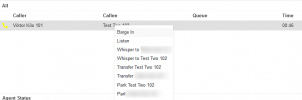
Do you see the options to Barge In when right clicking the call?
 
Hi Frederick Marcoux
The manager have the right to Barge in, listen or whisper, he's the manager of a call queue but i can't right click on the switshboard to do so
 
Hi VasilisV_3CX

No i can't see that option when i right click in the WebClient
 
Hi @Jebalia Oussama,

If you've granted the extension the right to barge in, if you're in the same group as the user you're wanting to barge in to, you're logged in with the correct extension via the web client, you should see the Barge In option present when you right click it.
 
Hi @VasilisV_3CX

That's exactely what i did with the same order and still not working that's why i'm wondering if it is some sort of a bug or somthing.
The manager and the extension the i want to barge in to are in the same group, i'm connectiong with the manager extension in the Web Client and i still can't barge in.
 
Hi @VasilisV_3CX

That's exactely what i did with the same order and still not working that's why i'm wondering if it is some sort of a bug or somthing.
The manager and the extension the i want to barge in to are in the same group, i'm connectiong with the manager extension in the Web Client and i still can't barge in.
Is the other extension on a call? You can only barge-in on active calls.
 
Hi @Jebalia Oussama,

Can you take two screenshots, blur out sensitive data.

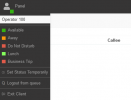
1) A screenshot showing which extension you're logged in as, like this:

1632146454466.png

and

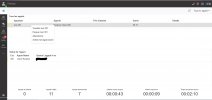
2) Showing what you see when you right click the call in the panel:

1632146567897.png
 
  • Like
Reactions: Evolute IT
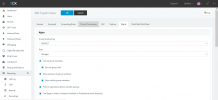
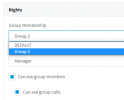
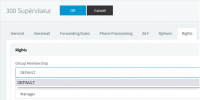
1) Manager Rights

Capture1.PNG

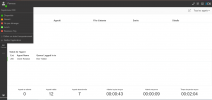
2) A screenshot showing which extension i'm logged in as

Capture3.PNG

3) Showing what i see when i right click the call in the panel

InkedCapture2_LI.jpg
 
Hi @Jebalia Oussama,

Are these extensions apart of a different group to Default? If yes, have you checked the manager rights for the other group?

1632230838003.png
 
Hi @VasilisV_3CX

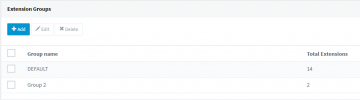
They are both in the same Group and this extension have the manager role.

Capture4.png
They are in the same grou
 
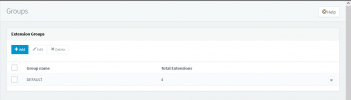
Can you send me a screenshot of what you see under \Users >> Groups? It should look something like this:

1632231149836.png
 
No problem, thank you. I'll PM you shortly.
 
This was resolved remotely by double checking the rights and enabling the necessary rights.
 
  • Like
Reactions: Evolute IT
Status
Not open for further replies.

Forum statistics

Threads
112,025
Messages
590,368
Members
164,978
Latest member
FringeIT-Eric