Bitrix24 integration error

Status
Not open for further replies.

SMS-Automation

Joined
Mar 2, 2016
Messages
11
Reaction score
14
Greetings to everyone!

We keep getting an eror in 3CX Bitrix24 integration module.

Error parsing authorization code. Please report this error to 3CX.
System.ArgumentOutOfRangeException: Index is out of bounds.
Index must be a positive integer and it should not exceed the size of collection.
Parameter name: startIndex
in System.String.IndexOf(Char value, Int32 startIndex, Int32 count)
in Bitrix24.OAuth2.LoginForm.getAuthorizationCode(String pageContent)


3CX Phone System 15.5 SP2 Pro

Our instance of Bitrix24 is installed on a local server, not in bitrix24 cloud.

Settings were carried out according to https://www.3cx.ru/docs/bitrix24-crm-integration/

Does anyone have any ideas what's the reason for the error and how to fix it?
 
  • Like
Reactions: Konstantin Inochkin
This is usually because the self hosted Bitrix 24 server doesn't have the REST API or the OAuth2 authentication enabled. Please check that.

You can check if this is installed by invoking the authorization endpoint, which is:
https://yourbitrix24serverurl/oauth/authorize/

You should see the login dialog there. If you don't, then the problem is this.
 
Endossantos, thanks for your comment.

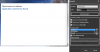
REST API is installed, see attached image (translations to English are added with blue font).REST_API.png

After request to https://my_bitrix24_crm/oauth/authorize/?client_id=1 we can see a Bitrix24 login dialog.

According to Bitrix24 recommendations, it is necessary to specify ?client_id=1 parameter, it's the ID of plugin3cx.integration module.
 
Try changing the Location in the plug-in configuration. The plug-in can take the authorization code in 2 different ways, depending on the location, because the implementation for Russia and USA/Europe is different. Maybe your local installation has the structure of the other location and that could cause the error trying to get the code.
 
After changing the location in the authorization dialog we get an error message "Application not found".

3cx.png
 
  • Like
Reactions: Turboon
Hello, everyone!
We have the same problem. You tested bitrix24 plugin with hosted version of bitrix24 CRM, haven't you? :)
 
Hello, please open a ticket in the support site so we can help you, as this will require a remote TeamViewer connection. Thanks.
 
edossantos, Good day.
I changed the secret key in the program code of the integration module. The application was found, but the system did not successfully connect (
 
Hello, please open a ticket in the support site so we can help you, as this will require a remote TeamViewer connection. Thanks.
Hello! Thank you for your answer! Unfortunately, we haven't bought support subscription. So there is no chances for us to make Bitrix24 integration work? :(
 
Hello @Turboon,

Please ask your 3CX partner to open the ticket for you. All 3CX partners have free access to our support portal.

Kind regards.
 
Status
Not open for further replies.

Latest Posts

Forum statistics

Threads
112,323
Messages
591,896
Members
165,473
Latest member
NathanMitchell