- Joined
- Feb 2, 2017
- Messages
- 221
- Reaction score
- 9
windows client 15.5.10795.4 with server 15.5.3849.1.
client installed on w7-64.
i have 6 shared parking locations (SP0-SP5) specified under blf for extension.
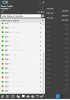
they used to have colors showing the status of the blf in the client "show blf side panel" but now they are grey. they still work but i cannot see the status via the colored indicators
i've uninstalled and re-installed with a new invitation and used the link that downloads the client from 3cx but still the same.
any ideas?
shawn
client installed on w7-64.
i have 6 shared parking locations (SP0-SP5) specified under blf for extension.
they used to have colors showing the status of the blf in the client "show blf side panel" but now they are grey. they still work but i cannot see the status via the colored indicators
i've uninstalled and re-installed with a new invitation and used the link that downloads the client from 3cx but still the same.
any ideas?
shawn