Ahmed Mohamed Customer Basic Certified Joined Jan 22, 2019 Messages 35 Reaction score 0 Jul 8, 2020 #1 set break time for Call Queue or all agents
AWS2P Silver Partner Advanced Certified Joined Jan 9, 2014 Messages 5,077 Reaction score 1,096 Jul 8, 2020 #2 is it a question? you need to set office hours and break for the week (break time need to be included in office hours range)
is it a question? you need to set office hours and break for the week (break time need to be included in office hours range)
Ahmed Mohamed Customer Basic Certified Joined Jan 22, 2019 Messages 35 Reaction score 0 Jul 8, 2020 #3 Can you show me how as i set it already but not working
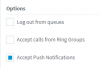
Saqqara Bronze Partner Basic Certified Joined Mar 12, 2014 Messages 4,775 Reaction score 1,471 Jul 8, 2020 #4 Check out https://www.3cx.com/3cxacademy/videos/intermediate/time-day-routing/ Use the autoswitch function on each extension Make sure on the away status, you tick 'Log out from queues'
Check out https://www.3cx.com/3cxacademy/videos/intermediate/time-day-routing/ Use the autoswitch function on each extension Make sure on the away status, you tick 'Log out from queues'
AWS2P Silver Partner Advanced Certified Joined Jan 9, 2014 Messages 5,077 Reaction score 1,096 Jul 8, 2020 #5 can you share a screen copy of what you've set and where?
Saqqara Bronze Partner Basic Certified Joined Mar 12, 2014 Messages 4,775 Reaction score 1,471 Jul 8, 2020 #6 Check out - https://www.3cx.com/community/threads/office-hours-for-call-queue.74550/ instead of out of hrs, use autoswitch for breaktime
Check out - https://www.3cx.com/community/threads/office-hours-for-call-queue.74550/ instead of out of hrs, use autoswitch for breaktime
Ahmed Mohamed Customer Basic Certified Joined Jan 22, 2019 Messages 35 Reaction score 0 Jul 10, 2020 #7 if any one avalible contact message me please @aws2p