Bulk download recordings in V20

ACL

Platinum Partner
Advanced Certified
Joined
Sep 5, 2024
Messages
58
Reaction score
4
Hi Experts,

In 3CX, we all know that there will be two ways to retrieve the call recordings listed as below:
Option 1:
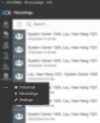
1729650262487.png

Option 2:
1729650500580.png
However, only option 2 offer bulk download options, option 1 does not have it. We discovered out that only user with 'System Owner' role is able to see the recordings in Option 2. In certain circumstances, we only can provide our customer as a 'Manager' role to let them view the reports and recordings. May I know is there any other ways that can let our customer which has a 'Manager' role but can bulk download the recordings?

FYI, version 18 do support bulk download recordings in the management console.
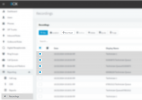
1729650921464.png

Please provide further assistance on this, thanks in advance!
 
Just to clarify here, what you used to see in the Management Console in V18 now in V20 is moved to the Admin section of the Web Client after assigning the appropriate Role to the user.
From the Web Client in V18 and in V20 there is no option to bulk download the recordings.
In V20 the Manager can see the recordings in his Web Client but also from the Call Log in the Reporting section but not bulk download them.
 
Hi Support,

Yes, we know all the items in management console have moved to Admin section of the web client.

But, previously in V18 we let our customers which have manager role to download the recordings in management console.

However, for managers role's user in version 20, they only can see the recordings through option 1, they do have the rights to view the Admin section in web client, but recordings tab in option 2 is not opened to them, and many of them started to complaint as they need to click one by one to download the recordings using option 1.

Therefore, is there any feature updates on the next release to let manager role's user to have the privilege to view the recordings in option 2? Or any other method you can suggest to bulk download the recordings from their end?

Thank you for the assistance!
 
If you're looking to manage your 3CX call recordings, we have a solution that allows you to efficiently handle your recordings from a single platform. saving your recordings and compressing their size to minimize storage usage.
 
If you're looking to manage your 3CX call recordings, we have a solution that allows you to efficiently handle your recordings from a single platform. saving your recordings and compressing their size to minimize storage usage.
Hello I have a similar issue need 2 ext to be able to download a departments recordings I am currently having them on a manager rol but I don't want to provide to much admin access. thanks.
 
  • Like
Reactions: ACL
Hello I have a similar issue need 2 ext to be able to download a departments recordings I am currently having them on a manager rol but I don't want to provide to much admin access. thanks.
Managers can download recordings for their department users but they can only manage recordings from the Recordings section of the Web Client and not from the Admin section of the PBX. Note that they will not have option to download in bulk from the web client but only individually.
 
  • Like
Reactions: Hendry:5060
3CX doesn't seem to be interested to listen to feedbacks from partners.
We are also facing the same complain from customer now for this exact issue.
What is wrong with just reinstating the Recording Tab for Managers Role in the Admin section?
How to explain to customers last time can, now cannot. Not limited to this issue only, there's many other problems from v18 > v20.
Customer ask is this an upgrade or a downgrade? Why are they forced to do so when it is still not ready to replace v18?
Please fix this soon.
Else, please give me an explanation that I can tell customer why this feature is taken away.
Thanks.
 
  • Like
Reactions: hhlau and ACL
When posting a question, a little background is always helpful. Sometimes the "why" is more important than the "how-to".

There are a likely three challenges here -- (1) managing appropriate access to recordings, (2) managing storage space on the 3CX server, and (3) the ability to bulk download recordings. We can help with these issues (See 3CX Recording Manager). However, what you have not explained is "why" they want to bulk download recordings.

My assumption is that they need to manage storage space on the 3CX server, while keeping copies of the recordings. That is what the archive feature is for, right? But you already know that, so help us understand why customers need the ability to bulk download recordings. Is this ALL recordings, or just a specific department recordings to which the user belongs? Is this about managing recording quotas?

Maybe we are focusing on the wrong question? Perhaps the solution is not providing the ability to bulk download recordings, but providing a better way of moving the recordings elsewhere in an automated way?
 

Latest Posts

Forum statistics

Threads
111,962
Messages
589,993
Members
164,867
Latest member
swegner