I have about 40 Fanvil X6U phones and it has been hit-or-miss when trying to bulk edit BLF keys (there's about 50 per phone). I was able to check box multiple extensions during install but I'm hoping there's an easy way to either edit all the BLF keys at once or create a template somehow and copy over the BLFs from there. Any suggestions is greatly appreciated.
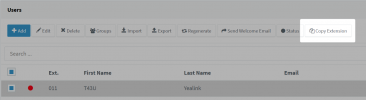
a) You can create a blank extension with all the BLFs + settings you want. Then use the "Copy Extension" button to create brand new extensions for your users, that can inherit those settings
b) You can multi-select the extensions you want to edit, click the "Edit" button and you can now edit all the BLFs in unison. The phones must be reprovisioned after editing the BLFs, so they can sync up with their extensions.
If they all had no BLFs to begin with, you will see blanks.
If they all had the exact same BLFs to begin with, you will see the BLFs
If some had BLFs that don't match the others, you will see blanks again anywhere they don't match and changing those blanks would be overwriting the positions you are currently editing.
Or you could delete all the blanks, then start adding the ones you want one by one
You might want to run a backup first so you can recover them if the result is not what you wanted