Button tone not working when trying to conference in a 3rd person.

Status
Not open for further replies.

Joe S

Premier Customer
Joined
Apr 20, 2023
Messages
15
Reaction score
2
Hey All

We are currently having an issue where we cannot get the number tone when trying to conference in a 3rd party. The situation is when we have a customer who calls in that speaks Spanish, we put them on hold and call an interpreter line, then they work as the intermediary. When calling this interpreter line, we have to press 2 to get to the right interpreter, but when we initiate that the tone does not get transferred so the receiving phone system never picks up on the #2 being pressed. If we call the interpreter line without a conference call and press the #2, then we get right in. Is there a setting that disables the number tones when we are in a active call?
 
Hello @Joe S is not possible to send DTMF when you add an external number to the conference.

You will need to first establish the call with the correct interpreter then add the the other user to the conference.
 
Would it work if we put the other caller on hold, then called the interpreter line. Is there a way to merge a caller that is on hold into a conference?

Or is this technically the same thing?
 
I guess you should do it by using an ip phone that lets you do at least three way conference, so line 1 is caller on hold, line 2 call the interpreter then press the conference button and add line 1.
 
So, the softphone cannot operate in this fashion?
 
when you press the conference button using the 3cx app you can dial internal and external numbers but not select the call on line 1 for example to join the conference.
 
  • Like
Reactions: Alejandro_3CX
In will give this a try, where is our Conference extension located. I did not see it under the Users, or any of the groups
 
ok I tried that with the 700-conference line, but that asks for a pin number. I have taken this system over from previous admin and I am not sure where you go to set up the conference line.
 
ok I tried that with the 700-conference line, but that asks for a pin number. I have taken this system over from previous admin and I am not sure where you go to set up the conference line.
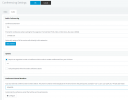
Try to go to Settings / Conferencing Settings / Audio. Here you can remove the PIN Code, if needed.

1696277149294.png
 
Ok I was able to get the pin off, is there a way to remove the Conference ID number?
 
Ok I was able to get the pin off, is there a way to remove the Conference ID number?
no, each conference room will use an ID number, otherwise anyone can join to the same conference room when transferred or dialing in.

You can create a conference room with a future date so you can use that ID for recurrent conferences.

Have a great day!
 
Status
Not open for further replies.

Members Online Now

No members online now.

Forum statistics

Threads
111,831
Messages
589,277
Members
164,660
Latest member
RJenkinsROCK