Call Bargin option is not available for Inbound calls

Status
Not open for further replies.

aslampa

Free User
Joined
Mar 18, 2016
Messages
86
Reaction score
3
Call Bargin option is not available for Inbound calls, specially for the calls coming from specific SIP trunk/Call Queue. What could be the possible reason.
 
Hello @aslampa

As a first step, make sure the extension that is trying to barge in is in the same group with the answering extension and that in the extension settings >> Rights Tab has the right to barge in for that group
 
Yes, here manager is trying to monitor the incoming call answer by agent. They are in same group ie Group1 but not in default group, I think it doesn't matter. when manager right click the call he gets option for Transfer, Park etc...but there is no option for Bargin, Listen. At the same time he is able to monitor their outbound calls.
 
Just to confirm. Does the manager have the right to barge-in, in the manager's extension settings right tab, for that specific group?
Also, what edition is the PBX?
 
yes, we are using pro edition.
 
Is there anyway to restore Default group members to default, I need to restructure the group membership and make sure no conflicts since couple of users are part of multiple groups
 
Well the default is that all extensions are part of the Default Group. If this is what you want to do, then just go to Groups >> DEFAULT >> add >> select all extensions >> OK
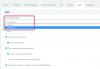
Also, and sorry for saying it again but i want to make sure of it as it is sometimes a bit confusing. When in Extension Settings >> Rights Tab, if the extension is part of multiple Groups, you first need to select the correct group from the Group Membership drop down menu and then enable the barge in, because the barge in can be enabled for one group and not for the other.
upload_2018-2-14_15-4-21.png
 
Status
Not open for further replies.

Forum statistics

Threads
111,856
Messages
589,406
Members
164,694
Latest member
Xavierf