- Joined
- Sep 5, 2024
- Messages
- 58
- Reaction score
- 4
Hi Experts,
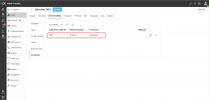
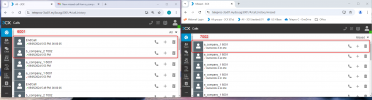
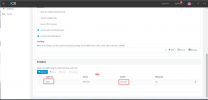
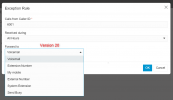
I’m currently using 3CX Version 20.0 Update 2 (Build 715 Release) and need some help with call forwarding configurations. In the previous version (Version 18), I recall there was an option to end calls directly as part of the call forwarding settings. However, I am having trouble finding a similar option in the current version.
Specifically, I am looking to configure call forwarding so that calls are ended rather than forwarded to another destination. Could you please guide me on where to find this option in Version 20, or if it has been moved or changed in this release?
Thank you in advance for your assistance!
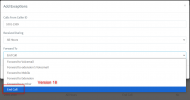
I’m currently using 3CX Version 20.0 Update 2 (Build 715 Release) and need some help with call forwarding configurations. In the previous version (Version 18), I recall there was an option to end calls directly as part of the call forwarding settings. However, I am having trouble finding a similar option in the current version.
Specifically, I am looking to configure call forwarding so that calls are ended rather than forwarded to another destination. Could you please guide me on where to find this option in Version 20, or if it has been moved or changed in this release?
Thank you in advance for your assistance!