Call Forwarding

Status
Not open for further replies.

mohan.vineeth1988

New User
Joined
Jun 3, 2021
Messages
21
Reaction score
2
Hi,

I need to know if this is possible

An external caller calls to one of my DID's. The call is then routed to Digital Receptionist so I can play a welcome message. The destination for NO or INVALID DTMF is set to a dummy extension for which forwarding has been setup for external calls with conditions "After time out : Extension's VoiceMail" where I had configured a goodbye message and for "If I am busy or my phone is unregistered, forward calls to: Forward to Mobile".
Current Result of Config : Call routed to DR and welcome message is heard and then call gets transferred to mobile number during which music on hold is heard on callers end. The external mobile rings with same on hold backgraound but is getting repeated, means call is again forwarded to the mobile number in loop.

What I Need : Call routed to DR and welcome message is heard and then call gets transferred to mobile number during which music on hold is heard on callers end. After 45 seconds I need the goodbye message and terminate call. (The calls automatically gets disconnected on the external mobile after 45sec before the loop)

Can i do this with CFD. Will this reduce the complexity to achieve this result.
 
As @edossantos already mentioned here this cannot be done using the 3CX CFD. You should however be able to get the behavior you are looking for by utilizing a dummy extension, as you already are, and the "Ring my mobile simultaneously" feature.

Try the following:

1. Create two IVRs, one for the first audio prompt and one for the second one (IVR1 and IVR2)
2. Have your DID route to the first IVR (IVR1). This IVR will play the first audio prompt and have a 1 second timeout, it should then route to the dummy extension.
3. The dummy extension should have the external number you want to forward calls to set as its mobile number in the "General" tab.
4. Then go to "Forwarding Rules" and "Available" profile status for this extension and set the ring timeout to 45 seconds. Have the "After timeout forward external calls to:" destination set to the second IVR (IVR2) which will play the second audio prompt. Make sure you set this dummy extension to the "Available" profile status.

I think this should give you the call flow you are trying to achieve.

Let me know how it goes.
 
Thanks for the support. This worked for me.

As you told i had to keep the dummy extension to "Available" for this to work. Will i need to be logged in all the time for the rule to work. Is there a way that I can accomplish the same without registering the dummy extension.

Thanks in Advance
 
Is there a way that I can accomplish the same without registering the dummy extension.
Not really because you will need the extension to be registered to allow the "After timeout forward external calls to:" forwarding rule to work. However this is the reason we are using the "Ring my mobile simultaneously" feature. Having this option enabled will keep the extension registered even though it is not being used on any 3CX endpoint (IP Phone, 3CX Client, etc).
 
Having issue that cannot change the setting forward call to mobile. Changes not applying.
Restarted the server and service\, still same

any idea
 
Is this an unrelated issue or are you trying to achieve the above behavior?

Whatever the case, could you please provide more information on what is happening exactly?
 
We need to transfer the calls to mobile if user didn't pick up with 10sec. So when change the setting to forward call to mobile, setting not applying
 
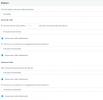
What happens when you try to set it though, do you get an error message and If yes can you provide a screenshot? Are you able to set it to anything else other that "forward to mobile" without getting an error? What format are you using for the mobile number of that extension, does it contain spaces, special characters, dashes, etc?
 
There is no error and only i can change is forward to extension

mobile number format tried +971 and 00971 without space
 

Attachments

  • Screenshot 2021-06-23 115417.png
    Screenshot 2021-06-23 115417.png
    29.2 KB · Views: 11
That is a bit strange:

• So what happens, you set "forward to mobile" click on OK and then go back to forwarding rules but it is set to "Forward to Voicemail"?
• What version of 3CX are you running?
• What web browser are you using to access the Management Console? Try Google Chrome in incognito mode, do you get the same behavior?
• Try creating a new test extension, set the same mobile number and try the same configuration, do you get the same thing? If yes, try setting the mobile number to something like 123456789, does anything change?
• What OS is this 3CX running on (Linux Debian 9, Windows Server 2016, etc) and where is it hosted(in AWS, on-premise, etc)?
 
Status
Not open for further replies.