- Joined
- Aug 9, 2021
- Messages
- 84
- Reaction score
- 1
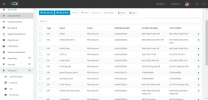
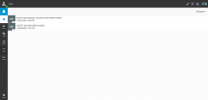
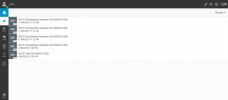
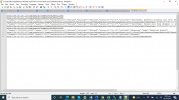
sir i cant receive miss call in crm but can receive answered call in crm this is my template only answered call i am recieving please help me please check the id and entity id is fine because not receiving any call other then answere incoming in crm
<Scenario Id="ReportCall" Type="REST" EntityId="CallID" EntityOrder="[CallID]">
<Request SkipIf="[IIf([ReportCallEnabled]!=True||[EntityId]=="",True,[IIf([CallType]!=Inbound,True,False)])]" Url="https://crm.callcenterempire.com/createCall?number=[Number]&agent=[Agent]&calldirection=[CallDirection]&calltype=[CallType]&duration=[Duration]&calltext=[InboundCallText]" MessagePasses="0" RequestContentType="application/json" RequestEncoding="Json" RequestType="Get" ResponseType="Json">
<PostValues Key="">
<Value Key="duration" Passes="1" Type="String">[Duration]</Value>
<Value Key="phone" Passes="1" Type="String">[Number]</Value>
<Value Key="calltype" Passes="1" Type="String">[CallType]</Value>
<Value Key="calldirection" Passes="1" Type="String">[CallDirection]</Value>
<Value Key="agent" Passes="1" Type="String">[Agent]</Value>
<Value Key="calltext" Passes="2" Type="String">[InboundCallText]</Value>
</PostValues>
</Request>
<Variables />
<Outputs Next="ReportCallMissed" AllowEmpty="false" />
</Scenario>
<Scenario Id="ReportCallMissed" Type="REST" EntityId="CallMissedID" EntityOrder="[CallMissedID]">
<Request SkipIf="[IIf([ReportCallEnabled]!=True||[EntityId]=="",True,[IIf([CallType]!=Missed,True,False)])]" Url="https://crm.callcenterempire.com/createCall?number=[Number]&agent=[Agent]&calldirection=[CallDirection]&calltype=[CallType]&duration=[Duration]&calltext=[MissedCallText]" MessagePasses="0" RequestContentType="application/json" RequestEncoding="Json" RequestType="Get" ResponseType="Json">
<PostValues Key="">
<Value Key="duration" Passes="1" Type="String">[Duration]</Value>
<Value Key="phone" Passes="1" Type="String">[Number]</Value>
<Value Key="calltype" Passes="1" Type="String">[CallType]</Value>
<Value Key="calldirection" Passes="1" Type="String">[CallDirection]</Value>
<Value Key="agent" Passes="1" Type="String">[Agent]</Value>
<Value Key="calltext" Passes="2" Type="String">[MissedCallText]</Value>
</PostValues>
</Request>
<Variables />
<Outputs Next="ReportCallOutbound" AllowEmpty="true" />
</Scenario>
<Scenario Id="ReportCallOutbound" Type="REST" EntityId="CallOutboundID" EntityOrder="[CallOutboundID]">
<Request SkipIf="[IIf([ReportCallEnabled]!=True||[EntityId]=="",True,[IIf([CallType]!=Outbound,True,False)])]" Url="https://crm.callcenterempire.com/createCall?number=[Number]&agent=[Agent]&calldirection=[CallDirection]&calltype=[CallType]&duration=[Duration]&calltext=[OutboundCallText]" MessagePasses="0" RequestContentType="application/json" RequestEncoding="Json" RequestType="Get" ResponseType="Json">
<PostValues Key="">
<Value Key="duration" Passes="1" Type="String">[Duration]</Value>
<Value Key="phone" Passes="1" Type="String">[Number]</Value>
<Value Key="calltype" Passes="1" Type="String">[CallType]</Value>
<Value Key="calldirection" Passes="1" Type="String">[CallDirection]</Value>
<Value Key="agent" Passes="1" Type="String">[Agent]</Value>
<Value Key="calltext" Passes="2" Type="String">[OutboundCallText]</Value>
</PostValues>
</Request>
<Variables />
<Outputs Next="ReportCallNotanswered" AllowEmpty="false" />
</Scenario>
<Scenario Id="ReportCallNotanswered" Type="REST" EntityId="CallNotansweredID" EntityOrder="[CallNotansweredID]">
<Request SkipIf="[IIf([ReportCallEnabled]!=True||[EntityId]=="",True,[IIf([CallType]!=Notanswered,True,False)])]" Url="https://crm.callcenterempire.com/createCall?number=[Number]&agent=[Agent]&calldirection=[CallDirection]&calltype=[CallType]&duration=[Duration]&calltext=[NotAnsweredOutboundCallText]" MessagePasses="0" RequestContentType="application/json" RequestEncoding="Json" RequestType="Get" ResponseType="Json">
<PostValues Key="">
<Value Key="duration" Passes="1" Type="String">[Duration]</Value>
<Value Key="phone" Passes="1" Type="String">[Number]</Value>
<Value Key="calltype" Passes="1" Type="String">[CallType]</Value>
<Value Key="calldirection" Passes="1" Type="String">[CallDirection]</Value>
<Value Key="agent" Passes="1" Type="String">[Agent]</Value>
<Value Key="calltext" Passes="2" Type="String">[NotAnsweredOutboundCallText]</Value>
</PostValues>
</Request>
<Variables />
<Outputs AllowEmpty="false" />
</Scenario>
<Scenario Id="ReportChat" Type="REST" EntityId="ChatID" EntityOrder="[ChatID]">
<Request SkipIf="[ReportChatEnabled]!=True" Url="https://crm.callcenterempire.com/createChat?agent=[Agent]&agentemail=[AgentEmail]&firstname=[AgentFirstName]&lastname=[AgentLastName]&chatmessage=[ChatMessages]&chatsubject=[ChatSubject]&duration=[Duration]" MessagePasses="0" RequestContentType="application/json" RequestEncoding="Json" RequestType="Get" ResponseType="Json">
<PostValues Key="">
<Value Key="duration" Passes="1" Type="String">[Duration]</Value>
<Value Key="email" Passes="1" Type="String"></Value>
<Value Key="agent" Passes="1" Type="String">[Agent]</Value>
<Value Key="chatmessage" Passes="1" Type="Integer">[[ChatMessages].Replace("
","").Replace("
","<br/>").Replace("\","")]</Value>
<Value Key="chatsubject" Passes="2" Type="Integer">[ChatSubject]</Value>
<Value Key="agentfirstname" Passes="1" Type="Integer">[AgentFirstName]</Value>
<Value Key="agentlastname" Passes="1" Type="Integer">[AgentLastName]</Value>
</PostValues>
</Request>
<Variables />
<Outputs AllowEmpty="true" />
</Scenario>
<Scenario Id="ReportCall" Type="REST" EntityId="CallID" EntityOrder="[CallID]">
<Request SkipIf="[IIf([ReportCallEnabled]!=True||[EntityId]=="",True,[IIf([CallType]!=Inbound,True,False)])]" Url="https://crm.callcenterempire.com/createCall?number=[Number]&agent=[Agent]&calldirection=[CallDirection]&calltype=[CallType]&duration=[Duration]&calltext=[InboundCallText]" MessagePasses="0" RequestContentType="application/json" RequestEncoding="Json" RequestType="Get" ResponseType="Json">
<PostValues Key="">
<Value Key="duration" Passes="1" Type="String">[Duration]</Value>
<Value Key="phone" Passes="1" Type="String">[Number]</Value>
<Value Key="calltype" Passes="1" Type="String">[CallType]</Value>
<Value Key="calldirection" Passes="1" Type="String">[CallDirection]</Value>
<Value Key="agent" Passes="1" Type="String">[Agent]</Value>
<Value Key="calltext" Passes="2" Type="String">[InboundCallText]</Value>
</PostValues>
</Request>
<Variables />
<Outputs Next="ReportCallMissed" AllowEmpty="false" />
</Scenario>
<Scenario Id="ReportCallMissed" Type="REST" EntityId="CallMissedID" EntityOrder="[CallMissedID]">
<Request SkipIf="[IIf([ReportCallEnabled]!=True||[EntityId]=="",True,[IIf([CallType]!=Missed,True,False)])]" Url="https://crm.callcenterempire.com/createCall?number=[Number]&agent=[Agent]&calldirection=[CallDirection]&calltype=[CallType]&duration=[Duration]&calltext=[MissedCallText]" MessagePasses="0" RequestContentType="application/json" RequestEncoding="Json" RequestType="Get" ResponseType="Json">
<PostValues Key="">
<Value Key="duration" Passes="1" Type="String">[Duration]</Value>
<Value Key="phone" Passes="1" Type="String">[Number]</Value>
<Value Key="calltype" Passes="1" Type="String">[CallType]</Value>
<Value Key="calldirection" Passes="1" Type="String">[CallDirection]</Value>
<Value Key="agent" Passes="1" Type="String">[Agent]</Value>
<Value Key="calltext" Passes="2" Type="String">[MissedCallText]</Value>
</PostValues>
</Request>
<Variables />
<Outputs Next="ReportCallOutbound" AllowEmpty="true" />
</Scenario>
<Scenario Id="ReportCallOutbound" Type="REST" EntityId="CallOutboundID" EntityOrder="[CallOutboundID]">
<Request SkipIf="[IIf([ReportCallEnabled]!=True||[EntityId]=="",True,[IIf([CallType]!=Outbound,True,False)])]" Url="https://crm.callcenterempire.com/createCall?number=[Number]&agent=[Agent]&calldirection=[CallDirection]&calltype=[CallType]&duration=[Duration]&calltext=[OutboundCallText]" MessagePasses="0" RequestContentType="application/json" RequestEncoding="Json" RequestType="Get" ResponseType="Json">
<PostValues Key="">
<Value Key="duration" Passes="1" Type="String">[Duration]</Value>
<Value Key="phone" Passes="1" Type="String">[Number]</Value>
<Value Key="calltype" Passes="1" Type="String">[CallType]</Value>
<Value Key="calldirection" Passes="1" Type="String">[CallDirection]</Value>
<Value Key="agent" Passes="1" Type="String">[Agent]</Value>
<Value Key="calltext" Passes="2" Type="String">[OutboundCallText]</Value>
</PostValues>
</Request>
<Variables />
<Outputs Next="ReportCallNotanswered" AllowEmpty="false" />
</Scenario>
<Scenario Id="ReportCallNotanswered" Type="REST" EntityId="CallNotansweredID" EntityOrder="[CallNotansweredID]">
<Request SkipIf="[IIf([ReportCallEnabled]!=True||[EntityId]=="",True,[IIf([CallType]!=Notanswered,True,False)])]" Url="https://crm.callcenterempire.com/createCall?number=[Number]&agent=[Agent]&calldirection=[CallDirection]&calltype=[CallType]&duration=[Duration]&calltext=[NotAnsweredOutboundCallText]" MessagePasses="0" RequestContentType="application/json" RequestEncoding="Json" RequestType="Get" ResponseType="Json">
<PostValues Key="">
<Value Key="duration" Passes="1" Type="String">[Duration]</Value>
<Value Key="phone" Passes="1" Type="String">[Number]</Value>
<Value Key="calltype" Passes="1" Type="String">[CallType]</Value>
<Value Key="calldirection" Passes="1" Type="String">[CallDirection]</Value>
<Value Key="agent" Passes="1" Type="String">[Agent]</Value>
<Value Key="calltext" Passes="2" Type="String">[NotAnsweredOutboundCallText]</Value>
</PostValues>
</Request>
<Variables />
<Outputs AllowEmpty="false" />
</Scenario>
<Scenario Id="ReportChat" Type="REST" EntityId="ChatID" EntityOrder="[ChatID]">
<Request SkipIf="[ReportChatEnabled]!=True" Url="https://crm.callcenterempire.com/createChat?agent=[Agent]&agentemail=[AgentEmail]&firstname=[AgentFirstName]&lastname=[AgentLastName]&chatmessage=[ChatMessages]&chatsubject=[ChatSubject]&duration=[Duration]" MessagePasses="0" RequestContentType="application/json" RequestEncoding="Json" RequestType="Get" ResponseType="Json">
<PostValues Key="">
<Value Key="duration" Passes="1" Type="String">[Duration]</Value>
<Value Key="email" Passes="1" Type="String"></Value>
<Value Key="agent" Passes="1" Type="String">[Agent]</Value>
<Value Key="chatmessage" Passes="1" Type="Integer">[[ChatMessages].Replace("
","").Replace("
","<br/>").Replace("\","")]</Value>
<Value Key="chatsubject" Passes="2" Type="Integer">[ChatSubject]</Value>
<Value Key="agentfirstname" Passes="1" Type="Integer">[AgentFirstName]</Value>
<Value Key="agentlastname" Passes="1" Type="Integer">[AgentLastName]</Value>
</PostValues>
</Request>
<Variables />
<Outputs AllowEmpty="true" />
</Scenario>
Last edited:
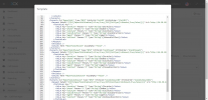


 ]&agent=[Agent]&calldirection=[CallDirection]&calltype=[CallType]&duration=[Duration]&calltext=[InboundCallText]&name=[Name]" MessagePasses="0" RequestContentType="application/json" RequestEncoding="Json" RequestType="Get" ResponseType="Json">