Call log says to an incoming route that no longer exists

Status
Not open for further replies.

predictiveit2

Bronze Partner
Basic Certified
Joined
Aug 1, 2022
Messages
6
Reaction score
0
Having some call routing issues. Calls coming in from my mobile to "RG Incoming Calls (800)". But it's not listed under my inbound rules? It may have been on a previous SIP trunk that was deleted?
 
Hi @predictiveit2

Do you have a CID rule for your number to route to a specific location?
Also what is the destination of the main trunk number in your trunk settings?

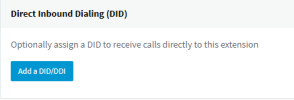
You can also navigate to Ring Group 800 and scroll down to option "Direct Inbound Dialing (DID)"
So you see a DID assigned to that Ring Group?

1659424920142.png
 
That's the problem I can't find it anywhere. It's not listed anywhere. They moved to a different SIP provider late last year and I believe that it may have been listed under that DID and it was deleted.
 
Lets backtrack a bit. You said that calls from your mobile phone route to "RG Incoming Calls (800)".
Is that correct?
Does this happen only with calls from your mobile? Do you call a number in the system?

Please provide as many details as possible so we can better understand the scenario in which the issue occurs.
 
In the call log, you can see "RG Incoming Calls (800)" But that is not in any of the DID's. May need to open a ticket on this.

I think the RG Incoming Calls (800). I changed all of them.


inbound-rules2.pnginbound-rules1.png
 
Do you have an extension 800? Look under Digital Receptionists or Ring Groups or Queues. You can also navigate to your Dashboard and search for it under the "System Extensions" tab.
If its there it should also tell you what it is.
 
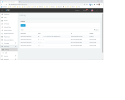
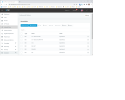
Yes we have an 800 Ring group, but none of the inbound routes are set to go there.
 
There are no DID's assigned to that Ring Group. I did verify it's not assigned there.
 
Ok great. In your trunk, where does the main trunk number point?
 
They are all pointing to 801, not 800. That's the issue.

Thank you for your help.
 
The next step is to look at the activity log to determine why the calls end up in 800.
Navigate to your Dashboard / Activity Log / Settings and set the logging level to Verbose.
Restart your 3CX services
Make a call to your DID and see where it went.
Check the activity log for the latest call (use the filters) and scroll to the bottom.
Look for the call routing logs and see if the call was directly sent to 800 or if it followed a forwarding somewhere and ended up in 800.

The activity log should contain all the info you need to troubleshoot this.
 
Status
Not open for further replies.

Latest Posts

Forum statistics

Threads
112,325
Messages
591,898
Members
165,478
Latest member
postmaster@studiolegaleda