Call recording rename?

Status
Not open for further replies.

CFP

Premier Customer
Joined
Sep 25, 2020
Messages
64
Reaction score
16
is it possible to change the naming convention of the call recordings.

I have an issue whereby the SFTP archive doesn't work due to the filename of the call recording using characters that are not being compliant with the POSIX standard more than likely the square brackets and open and close brackets.

i use the same SFTP server and credentials for the 3CX server backup, which works successfully as the backup .zip filename uses just upper and lower case letters.
 
is it possible to change the naming convention of the call recordings.

I have an issue whereby the SFTP archive doesn't work due to the filename of the call recording using characters that are not being compliant with the POSIX standard more than likely the square brackets and open and close brackets.

i use the same SFTP server and credentials for the 3CX server backup, which works successfully as the backup .zip filename uses just upper and lower case letters.
Unfortunately you can't. We had a similar issue and we moved to Google Buckets because of that.
 
Am i right in thinking that as a base technology SFTP doesn't support non POSIX compliant filenames? - just wondering why 3CX give the option is their naming convention doesn't comply?
 
Hi @CFP

Can you tell us what OS and version the PBX is, and what OS the SFTP server is?
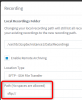
You should not have any issues with the naming convention, for example here is a Linux SFTP server which has successfully archived files from a Windows PBX:

1601378538599.png
 
Hi john,

thanks for commenting.
so 3CX is hosted on a debian stretch EC2 instance in AWS.
the SFTP server is hosted on a Windows 2016 Server using "Syncplify.ms" - i reached out to their support who advised on the POSIX standard compliancy.

the 3CX backup seems to work without issue. just not the call recordings.

i'm also looking at mounting our S3 bucket to the server and having 3CX write to that instead.. would make life a lot easier if 3CX supported AWS S3 buckets natively.

regards
c
 
In your management console, did you include the full path including slash?
Or did you just give it the address?

1601903744165.png
for example:

sftp://10.20.30.40 - might fail
sftp://10.20.30.40/users/john/3cxbackup/ - might work
 
Status
Not open for further replies.

Latest Posts

Forum statistics

Threads
111,964
Messages
590,001
Members
164,869
Latest member
hpgitsupport