Callcentric and 3CX

Status
Not open for further replies.

thereverend

Joined
May 29, 2011
Messages
100
Reaction score
0
How do I configure 3cx with callcentric on one account with callcentric to use more than one DID and have that DID ring on a different line than the other DID's.. Can that be done with callcentric or must i get another callcentric account for each DID? also if it can be done please provide screen shots and step by step please..
 
thereverend said:
How do I configure 3cx with callcentric on one account with callcentric to use more than one DID and have that DID ring on a different line than the other DID's.. Can that be done with callcentric or must i get another callcentric account for each DID? also if it can be done please provide screen shots and step by step please..

I see that there is a call treatments page but... Under the PROVIDER it has options such as :

Send to VM
Send to RG
END CALL
etc..

But there is no "Follow DID routing rules" or anything like that.. I have created DID rules but the calls all seem to go
to the same phone that is under the provider section.. How do i fix this.. please. I am pulling my hair out trying to get the
one # to ring on one phone and the other on another thanks..
 
You can create an Inbound Rule in 3cx for each DID coming from Callcentric. In the "Apply this rule to these ports" section be sure to check the Callcentric port. In the DID Mask field us the 11 digit DID coming from Callcentric.

No need to use any call treatments in the Callcentric portal.
 
paul1 said:
You can create an Inbound Rule in 3cx for each DID coming from Callcentric. In the "Apply this rule to these ports" section be sure to check the Callcentric port. In the DID Mask field us the 11 digit DID coming from Callcentric.

No need to use any call treatments in the Callcentric portal.

Yes, I confirm this -- I have several DID numbers from Callcentric and you should do nothing on Callcentric page -- just send all number to default sip device (default setting). Follow guidelines for DID settings in 3CX (literally !). The only thing I didn't managed to achieve with Callcentric is to sent different Caller-IDs for outgoing calls.

Regards
 
paul1 said:
You can create an Inbound Rule in 3cx for each DID coming from Callcentric. In the "Apply this rule to these ports" section be sure to check the Callcentric port. In the DID Mask field us the 11 digit DID coming from Callcentric.

No need to use any call treatments in the Callcentric portal.


I am confused. Sorry to sound this way but.. On mine right under the PORT it has go to RING GROUP 800
is it not possible to have more than one DID on 1 PORT? ?Must i have more than one port.. For example
Should i have a PORT or CALLCENTRIC account for each phone #? this seems a little extreme or is there a way to
create a port in Callcentric for additional DID's ?? I have 2 DID's on one Port right now is that the problem I am having?
is that i need to move one of the 2 #'s to a different port? and if so.. how do i create a port in Callcentric without
creating a new account?

:oops: Very Confusing!!! or is it? maybe i am just reading into it too much
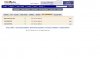
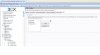
 
As you create inbound rules and assign them to your Callcentric port, you will see that they appear under your VOIP Providers - Callcentric account listing. Each of them can have different extensions, ring groups etc. Give it a try...
 
OK,

I have the following settings on Callcentric:

and DID settings in my 3CX:


As I mentioned, I didn't managed to send different Caller-IDs on outgoing calls (of course this is possible with separate accounts).

Regards
 

Attachments

  • p1.JPG
    p1.JPG
    56.1 KB · Views: 1,125
  • p2.JPG
    p2.JPG
    77.1 KB · Views: 1,125
This defiantly works.

I have several DIDs with CallCentric and one of them rings to my office phone directly.

Check out this screenshot.
http://dl.dropbox.com/u/3594910/pics/3cxdid.PNG
 
Status
Not open for further replies.

Forum statistics

Threads
111,858
Messages
589,426
Members
164,698
Latest member
RRusev