Solved Caller ID on internal calls

Status
Not open for further replies.

GCollis

Joined
Dec 11, 2014
Messages
35
Reaction score
8
Hi,

I have a customer that requires thier internal extensions when busy to overflow to a ring group, this is fine when a external call comes in and the user is busy, the call overflows as expected and the ring group name is displayed so the person answering the call knows it is a overflowed call, example: ring group name: Extn2001 Overflow is displayed. The issue is with internal calls that get forwarded to the overflow group, internal calls that overflow only show the originating extension number that called the internal extension and not the overflow ring group name.

Is there a way of achieving this?

Thanks
Gary
 
My thought is that it should show for any call, internal, or external, if the prepend RG name option is enabled. A bug ? Perhaps this scenario was not foreseen.
 
Hi Leejor,

Yes I have the prepend RG name enabled. Basically each extension has a overflow ring group set up for them so when busy both external/internal calls overflow to the overflow group and I need members of the overflow group to see the group name so they know how to answer the call as a member can be part of multiple overflow groups, this works if a external call overflows but if a internal call overflows it shows the originating calling extension rather then the overflow ring group name.

Kind regards
Gary
 
Hello @GCollis

What type of phones do you have? There are phones that have an internal phonebook and try to match numbers from there first. So when a call comes in if the phone number is in the phone memory will not look to the contacts of the PBX and therefore will not show the prepend of the ring group.
 
Hello @Yiannish,

The customer is using Yealink T29G handsets and as far as I am aware are not using the internal phonebook of the handset.

Kind regards
Gary
 
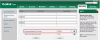
Please login to the web interface of a phone and navigate to Directory / Remote phonebook and disable the incoming / outgoing call lookup and try calling the ring group to see if that works. The PBX phonebook is provisioned once you provision the phone.
2017-03-08_17h52_03.png
 
Hi Yiannish,
This has resolved my issue.

Thank you for your help.

Kind regards
Gary
 
Glad to hear it worked for you
 
Without the phonebook - do internal calls show who is calling you?
This is a problem I had when I first got on 3cx with Yealink phones.
101 called 102. 102 would only see "101" and not "101-Receptionist"
 
Hi Yiannish,

Craig is correct, even though this resolved my problem of the ring group name being displayed it has now stopped internal user names being shown, can this be resolved?

Gary
 
The extension name can come from a few places, usually, in the extension settings (in 3CX), or the originating device itself. This is in addition to any phone-book, internal or external. It may be a case of a device display receiving too many characters causing some to be "pushed aside", or the name being replace by a stored directory entry.
 
I am not getting the same behaviour on my test machine. Running a wireshark capture reveals that the PBX is sending the same info in both occasions. With the phonebook disabled the phone displays the info sent by the PBX. With the phonebook enabled if it finds a match it bypasses the info send from the PBX.
Can you please tell me what version PBX you are running and if you are using the supported firmware and templates? Also are the phones local or remote?
 
HI Yiannish,
3CX is V15 SP5, handsets are Yealink T29 FW is 46.80.0.130. I have just upgraded one to 46.81.0.60 and asked the customer to re test, I will let you know the outcome.
 
I have resolved my issue. The handset firmware upgrade and some changes in the provisioning file allowed me to get calls displaying as the customer wanted.
 
Glad to hear the issue is resolved and thank you for sharing your solution
 
Status
Not open for further replies.