Caller ID Rules

Status
Not open for further replies.

Randy Gindy

Premier Customer
Intermediate Cert.
Joined
Nov 16, 2018
Messages
13
Reaction score
1
Could anyone give me some insight into how Caller ID rules work? We have cold callers that will call everyone in a department. This has been a daily occurrence. I have tried making a rules to route calls from that number to an IVR. No combination of the mask I use seems to work. Obviously I am missing something. Any input would be appreciated.
 
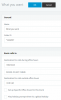
it is always same number calling everyone ? if so create CID inbound rule like this

12765

in caller ID start with * followed by max phone number digit you want
My example could be a ten digit number and in rule *1234567 is only the 7 last digits from caller
this way you are sure to match with number format sended by your sip provider
 
Last edited:
Yes its always the same number. It's these "I want to send you some white papers" types. They'll use one number for a week or two and then switch to another. They just work through our IT department and then several people in our finance department.
 
Have you considered blacklisting their number completely in 3CX?
Some sets are capable of blacklisting individual numbers as well.
 
I'm aware of blacklisting numbers. There are other circumstances where I do not want to blacklist a number but I want it routed to certain IVR or extension.
 
it is always same number calling everyone ? if so create CID inbound rule like this

View attachment 12765

in caller ID start with * followed by max phone number digit you want
My example could be a ten digit number and in rule *1234567 is only the 7 last digits from caller
this way you are sure to match with number format sended by your sip provider

I'm not sure I follow.

This is how the number that is currently calling is presented

MORGANTOWN WV:3075 (3042443358)
 
try a rule with *042443358
 
So I tried adding the rule like mentioned above but calls from that number still get through. When I'm looking at the export of the inbound rules I'm noticing a priority column. I'm assuming that has something to do with how rules are prioritized.
 
yes this rule need to be in first
 
How would you best go about this? I have approximately 3000 inbound DIDs. Just export the list and manually change the order in the csv, delete the current inbounds, and then reimport the modified csv?
 
I added the CID rule and exported.
Created a blank row at the top and moved it to the blank space.
Deleted rules and imported and it worked.
 
I added the CID rule and exported.
Created a blank row at the top and moved it to the blank space.
Deleted rules and imported and it worked.

Did you have to change to priority field or did just moving it to the top do this?
 
Status
Not open for further replies.

Forum statistics

Threads
111,934
Messages
589,818
Members
164,811
Latest member
aurorasigntrtechitnet