Solved Calling multiple mobiles at once

Status
Not open for further replies.

Alphabetic

3CX MVP
Silver Partner
Advanced Certified
Joined
Jul 1, 2016
Messages
6,571
Reaction score
2,582
Hi Guys

I've got a scenario where the power to the office has gone, phone system is in the cloud.

At the moment i've logged in to the queue via web client to get the queue working.

Is it possible for me to have mobile numbers call at the same time?

At the moment i've put in a dummy extension and set it to "call mob simultaneously" and i think this is working for the one extension.

If i add more dummy extensions and set them up to call mob, will it poll them as if they were agents? (Ring all)

Mobile app isnt an option.
 
Ok just found it doesnt work if my dummy ext #2 isnt registered
 
I was under the impression, from past posts, that even an unregistered extension, will send calls to a "ring my mobile" phone.
 
I was under the impression, from past posts, that even an unregistered extension, will send calls to a "ring my mobile" phone.
I'm not sure if this is true for queues but it wasnt happening last night when I had a 2nd unregistered extension in play.
 
It should actually, enabling "Ring my mobile simultaneously" will automatically register the extension regardless of whether it's actually registered somewhere (IP Phone, Softphone, etc). That said, the polling for a call queue should apply still. If it did not, it may be that calls in general for that extension did not work, you might want to try a direct call to that extension first to make sure that the outbound call to its mobile actually goes through.
 
  • Like
Reactions: Vali_3CX
It should actually, enabling "Ring my mobile simultaneously" will automatically register the extension regardless of whether it's actually registered somewhere (IP Phone, Softphone, etc). That said, the polling for a call queue should apply still. If it did not, it may be that calls in general for that extension did not work, you might want to try a direct call to that extension first to make sure that the outbound call to its mobile actually goes through.
You're right.

in my haste last night I didnt tick "ring my ...." I just set the extension to forward to mobile.

However, the redirect isnt working, activity log shows this:

Code:
Call or Registration to <mob number>@(Ln.10001@BT WSIPT EVE) has failed.<SIP IP> replied: 603 Decline; from IP:<SIP IP>:5060

But I can dial the mobile from an extension.

If i dial the extension directly it doesnt work either.
 
It seems the provider is rejecting it, "Ring my mobile simultaneously" is a bit tricky because it sometimes, depending on the situation, might send an internal extension as the caller id outward. To eliminate this possibility, try forcing the correct Caller ID on the Outbound Rule and give it another go.
 
It seems the provider is rejecting it, "Ring my mobile simultaneously" is a bit tricky because it sometimes, depending on the situation, might send an internal extension as the caller id outward. To eliminate this possibility, try forcing the correct Caller ID on the Outbound Rule and give it another go.
Yes, it was sending the extension so this has sorted it.

What I dont want to do is force a caller ID to be NumberA when there could be other extensions that need to use NumberB.

Is there another setting I could use from the SIP Outbound Parameters or is this a case of making a specific outbound rule for this requirement?
 
What I dont want to do is force a caller ID to be NumberA when there could be other extensions that need to use NumberB.

Is there another setting I could use from the SIP Outbound Parameters or is this a case of making a specific outbound rule for this requirement?
To clarify, this is happening due to the combination of having "Ring my mobile simultaneously" and "OriginatorCallerID" set in the Outbound Parameters of the SIP Trunk. In this case, a call from an internal extension will have the parameter populated with the calling extension's number. IF the call is from an External number, the parameter will be populated with that external number. If you do not want to present either you can change the Outbound Parameters to use the OutboundCallerID taken from the extension level. By doing so, a call to a call queue whose agents have "Ring my mobile simultaneously" will present the extension's OutboundCallerID in the outbound call.
 
Create a new outbound rule for each of the mobile numbers, using a unique prefix (7?). Then use that number as the mobile destination, in each each extension. That way a "normal" call direct to the mobile, from the PBX, using the default route, won't use the caller ID you set in the new rules. Place the new rules above the default route.
 
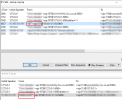
Decided to have a look a little further and found the outbound settings on our SIP wasnt the same as others we've installed.

Packet captures show that the from that we were sending, was sending the extension number and not our outbound CLI.

Changing this option sorted this:

1640276539040.png

1640276529079.png
 
  • Like
Reactions: ChrisC_3CX
Brilliant! Glad to see you sorted this out!
 
Status
Not open for further replies.

Forum statistics

Threads
111,974
Messages
590,081
Members
164,899
Latest member
mazet