Calls not connecting with 2 network card install of 3CX (Debian)

Status
Not open for further replies.

FaSMaN

New User
Joined
Jul 25, 2022
Messages
6
Reaction score
0
Hi All

This is my first install of 3CX so I am still very new with this.

The Problem:
After the install I cant make any outgoing calls, or receive any calls , the SIP Trunk is green and does detect incoming calls coming in, the integrated soft phone rings, but after answering the call I dont hear anything, and the caller never gets past the ring tone.

Any help would be appreciated even if its just pointing me in the right direction.
Firewall test tool reports that everything passed.

Our Setup:
Our ISP has provided us with a SIP Trunk, it is IP based and requires a static IP to authenticate.

I did a 3CX (Debian VM on the following install):
ESXI
^ PFSense
^ 3CX Debian > Extra Nic going to SIP

Configured the firewall and the firewall checker doesnt fail on anything.
Followed this thread for a 2 network ( https://www.3cx.com/community/threads/debian-how-do-you-use-2-nic-cards.53434/ )
 

I dont think that is possible as ISP doesnt have internet access on the SIP, so I need two incoming networks, The closest I could see in the configuration document was "Segregated VoIP network" I could possibly add the second card to PFSense instead and have that do the NAT, but not sure how that will look for port forwarding?
 
I have a dual NIC setup on my Debian server. My ISP provided me an Adtran device, the IP of that device, and the IP they pointed the SIP traffic to - which we're to use as the IP for the NIC on the server. In 3CX, for the SIP trunk setup I used the IP of the Adtran device. On the server I do not specify a static route to the provider since the IP of the Adtran and the IP used for the SIP dedicated NIC are within the same subnet. I use a static IP with no gateway specified for the SIP dedicated NIC. On my provider's VoIP management portal it lists completely different IP information than what I was told to use by the ISP engineer I was in direct communication with.

So my questions to you are:
- Were you provided an Adtran or similar networking device to connect the server to?
- Did the ISP mention or provide you with any other IP address information? Such as the IP to set for the trunk? Did they distinguish between the IP for the trunk and the IP to use on the server?
- Are you obtaining the IP requirements from the ISP via their VoIP portal or via direct communication with them?
- Is the gateway IP of '192.168.60.1' a "typo" and you meant '192.168.160.1'?
- What IP are you using for the trunk in 3CX?

Sorry for the long delay to answer your questions:

1. Yes we have a similar device that was provided to us, its a router with a specific port for us to use.

2. The ISP Provided a Configuration document with the required IPs, It provided the following
-Customer PBX IP Network (IP the server should use)
-Customer PBX Subnet Mask
-Customer PBX Default Gateway (Presumably for the trunk)
-Our Telephone numbers
-Sip Proxy is Enabled (Not sure if this changes much)

3. Direct communication to them, we do not have a portal we can access.

4. The gateway is indeed a .60 address I have spoken to them and its not a typo.

5. I have tried both the "Customer PBX Default Gateway" as well as the IP I created with the static route, both have the same result.
 
Sorry for the long delay in replying but a lot of back and forth happened between myself and the ISP.
Their Documentation is indeed incorrect and should be as follows:

Gateway should be 192.168.60.1
That IP Address is not ping able unless I set the following in interfaces
"up /bin/ip route add 192.168.60.0/24 via 192.168.160.1"

This results in me being able to ping 192.168.60.1 , and 3CX can now receive incoming phonecalls, but I am still unable to make outbound calls no matter what the IP I set in the Trunk (192.168.160.1 nor 192.168.60.1)

Any Last second ideas before I cancel this ISP and move on to some one with a more traditional IP layout?
 
If you haven’t already could you run the port check command from my previous post? It likely will say opened but run it just to confirm it is. Btw, is your ISP a supported provider?

Post or PM screenshots of each configuration page of the SIP trunk as well as your outbound rules configuration (obfuscating the items I indicated in my previous post and anything else you deem sensitive/identifiable). Your issue may now likely be an outbound parameter of the trunk that needs to be changed from the default setting (which I had to do for my trunk) or a misconfiguration of the outbound rules.

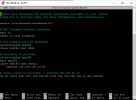
Hi Imperator and thank you so much for being patient with me, this is the error I get when I try your command:
PS Will DM you my config as there is a lot of pictures :)

1660137224567.png
 
Status
Not open for further replies.

Latest Posts

Forum statistics

Threads
112,325
Messages
591,898
Members
165,478
Latest member
postmaster@studiolegaleda
