


- Joined
- Mar 23, 2020
- Messages
- 60
- Reaction score
- 8
Hi 3CX support,
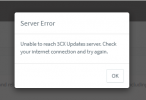
I get infomation from my customer about problem with update 3CX, after click update on 3cx console. Incoming popup Server Error "Unable to reach 3CX Update server. Check your internet connection and try again,"
- SSL Certificate renewal has been failed.
OS : windows 10 Pro and Up todate.
3CX Version : 18.0.8.939 (can not update)
FQDN : FQDN 3CX
I test troubleshooting.
- Backup config file 3CX and Un-Install 3CX System.
- Restore file config, If finished 3CX System has renewal SSL Certificate.
- Problems not fix. Can not update and server error popup again.
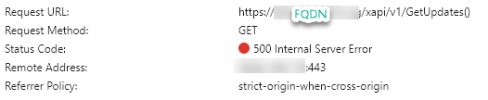
- Re-check from browser get error code 500 Internal server Error.
 .
.
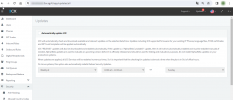
What someting wrong, before can update normal, Please check problems and how to resolved them.
Thank you
Suebpong Saengthongsuk,
I get infomation from my customer about problem with update 3CX, after click update on 3cx console. Incoming popup Server Error "Unable to reach 3CX Update server. Check your internet connection and try again,"
- SSL Certificate renewal has been failed.
OS : windows 10 Pro and Up todate.
3CX Version : 18.0.8.939 (can not update)
FQDN : FQDN 3CX
I test troubleshooting.
- Backup config file 3CX and Un-Install 3CX System.
- Restore file config, If finished 3CX System has renewal SSL Certificate.
- Problems not fix. Can not update and server error popup again.
- Re-check from browser get error code 500 Internal server Error.
.What someting wrong, before can update normal, Please check problems and how to resolved them.
Thank you
Suebpong Saengthongsuk,


