Solved Cannot modify SIP VIA HEADER version 20.0 update 6

Status
Not open for further replies.

shortcirciut

Premier Customer
Basic Certified
Joined
Dec 3, 2019
Messages
21
Reaction score
2
Hello to All,
Recently, I have migrated our on-prem server to another environment. I restored the latest backup on the new machine.
In the process, the new machine got updated to the latest version, from a minor release of Version 20.0.

The current running version is Version 20.0 Update 6 (Build 721 Beta).

The strange thing is that all internals are communicating, and we can even do external calls without any issue.
The problem is that we cannot receive inbound calls.
Our SIP provider is saying that the 3CX is advertising the private ip into the SIP VIA Header.

Is there a way to get this modified, as it seems that in this latest version is not possible, whereas in the previous versions, this was possible from the trunk settings.

Thanks to all.
 
Hi,

No need to share exact IPs. just confirm if they are the expected Public IP s for your system-

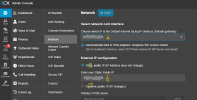
What do you have here (1,2 & 3):
1750398277514.png

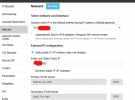
And what here (4,5,6 & 7):
1750398402622.png
 
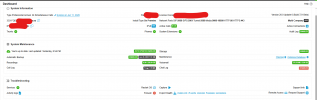
Firstly, your Firewall checker is showing red, so you definitely have some network config issue.

Default Internet facing IP (Default gateway) - that looks like a local LAN IP. Is that correct? Double check all your network settings and make sure the Firewall checker passes.
 
Hi, as I said, this was restored from a working version. Also firewall configs are identical.
And yes, those ips are one internal on the 10.0.0.0 subnet and static public ip.
Firewalls test is was always red, but it worked. I have 2 other installs with a red blob and both works.
What was changed apart from the public ip is the update version of the 3CX.
There is no option to modify the SIP VIA header. I need a solution to modify this. There should be some kind of script to modifiy but have no idea where this may be.
 
Hi,

The Firewall checker showing red, should scare you, not to be funny and ingnored.
You mention that this is on multiple installations and always ignore it.
3CX has made clear that if you do not pass the Firewall test, you could end up with problems... i think you found it.

Now back to your question:
Please make a 'Capture' (SIP Trace) on the 3CX Server, while you make a call out.
Then look in WireShark, what is your problem, and check if your provider is wright with the Local VIA IP ??

If needed, please share here.
What SIP Trunk provider template are you using ?

Paulo
 
What was changed apart from the public ip is the update version of the 3CX.
Firstly you need to get the firewall checker addressed as you might face issues down the line. Secondly the local IP in the VIA header is the default behavior of 3CX since the beginning of time. This is not something new or something that changes with the update. It's also what 99% of providers accept. Unless you have your trunk specifically configured to use the public IP in the VIA the PBX will send its local IP.

So you either did not have a local IP before and the PBX was sending the public be default or something else is at fault here.

Which provider are you using and what template did you use to add the provider to the PBX? You can export the template using the 3 dots menu on the right of the trunk and check.
 
Guys, Something that I forgot to tell you is that we are able to receive external calls from others who are on the same domain on the same SIP trunk provider.
 
Hello again,

Template used is GO, country MT.
 
Hi,

GO seems to be a supported SIP Trunk Provider, so no problem should occour.
Could you please responde to the request of YiannisH_3CX

You can export the template using the 3 dots menu on the right of the trunk and check.

Paulo
 
Hi to All,

provider file attached

Thank you all for the support.
 

Attachments

Your issue is with inbound calls so I am assuming that the VIA they are complaining about has to do with the registration process.
I can confirm that the local IP in VIA should be working as it is working for us and our test trunks. I am also on the same PBX version as you are.

With this in mind I would recommend to first make sure your firewall checker passes as it might be the cause of your issues and once that passes contact GO again and question them about the VIA header.
 
Hi all,
I want to update and close this thread.
The issue was from provider side.

Thanks to all.
 
Status
Not open for further replies.

Latest Posts

Forum statistics

Threads
111,990
Messages
590,161
Members
164,926
Latest member
tohoken1