- Joined
- Jul 18, 2014
- Messages
- 5
- Reaction score
- 0
Configuring Snom 720 (Firmware version 8.7.3 ) with 3CX version 12
Snom and 3CX documentation both say it’s compatible, with 3CX listing Snom as a preferred supplier.
I have been unable to automatically or manually provision a Snom 720 phone.
I set Option 66 as per guide: http://www.3cx.com/sip-phones/dhcp-option-66/
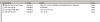
Using the option: 3CX Phone system 12: http://192.168.3.155:5000/provisioning/%%ProvSubDir%%/cfg{mac}
Shown below in the attached screenshot
It still would not provision, showing the key hole and prompting to log in on the phone.
From the phone’s web interface in the Advanced > Update tab I can see the settings_server points to snom.com but the update_server points to our server for the provisioning files.
Still this wouldn’t load the provisioning file, and the phone showed a keyhole symbol with the message “Press any key to log in”.
When we uploaded the file manually using the phone’s web interface and restarted, the phone got further than before, logged in, and showed the 3CX user. But, there was an error message:
Prov. Server failed not registered: 3CX Phone ……
The provisioning file is attached
Snom and 3CX documentation both say it’s compatible, with 3CX listing Snom as a preferred supplier.
I have been unable to automatically or manually provision a Snom 720 phone.
I set Option 66 as per guide: http://www.3cx.com/sip-phones/dhcp-option-66/
Using the option: 3CX Phone system 12: http://192.168.3.155:5000/provisioning/%%ProvSubDir%%/cfg{mac}
Shown below in the attached screenshot
It still would not provision, showing the key hole and prompting to log in on the phone.
From the phone’s web interface in the Advanced > Update tab I can see the settings_server points to snom.com but the update_server points to our server for the provisioning files.
Still this wouldn’t load the provisioning file, and the phone showed a keyhole symbol with the message “Press any key to log in”.
When we uploaded the file manually using the phone’s web interface and restarted, the phone got further than before, logged in, and showed the 3CX user. But, there was an error message:
Prov. Server failed not registered: 3CX Phone ……
The provisioning file is attached