Cannot renew SSL manually

chikara sugiyama

Customer
Joined
Jun 15, 2014
Messages
47
Reaction score
5
Hello.

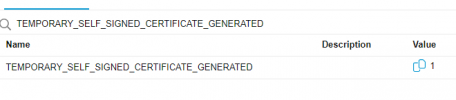
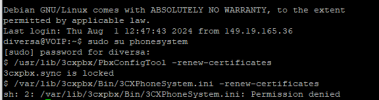
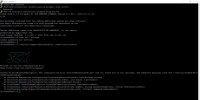
I have been unable to renew my SSL, so I set "TEMPORARY_SELF_SIGNED_CERTIFICATE_GENERATED" to "1", then I tried to run "/usr/lib/3cxpbx/PbxConfigTool -renew-certificates" via SSH in the Root. However, an error message "3cxpbx.sync is locked" is displayed and I cannot execute it.

This was not a problem in V18, but after updating to V20, I am unable to do so.

Is there a solution?
 
Are you accessing as root?
 
Running on Root.
 
I am attaching a screenshot just in case.

FireShot Capture 063 - Parameters - 3CX - fps134-thelovestorystudio.3cx.jp.png
スクリーンショット 2024-05-27 150215.jpg
 
Are you able to reach the PBX over FQDN?
 
Of course, it can be accessed by FQDN.
 
in V20, first run sudo su phonesystem

Then run the renew command


Or run a single command like so
Bash:
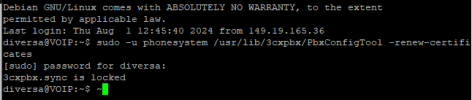
sudo -u phonesystem /usr/lib/3cxpbx/PbxConfigTool -renew-certificates
 
  • Like
Reactions: ChrisC_3CX
Hello, @JohnS_3CX

unfortunately the block remains :(

is there any command to enable it?


1722527444992.png
1722527346918.png
 
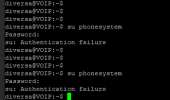
Use first su phonesystem and then the renew command.
 
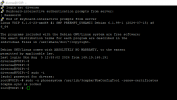
failed authentication as below

1722628527422.png
 
Elevate to root first and then to phonesystem.
 
Hello,
presented this message: erroJR.jpg
 
Elevate to root first and then to phonesystem.

This means: "Switch to root first,"
Bash:
sudo -i


in V20, first run sudo su phonesystem
Then run the renew command
Or run a single command like so

sudo -u phonesystem /usr/lib/3cxpbx/PbxConfigTool -renew-certificates

This means: "Run this command without modifying it,"
Bash:
sudo -u phonesystem /usr/lib/3cxpbx/PbxConfigTool -renew-certificates
 
Is 3CX installed (Yes of course) and configured?
Can you access the homepage (dashboard) with an expired certificate?
Is the FQDN issued by 3CX?
 
3CX is installed on Azure and in use.

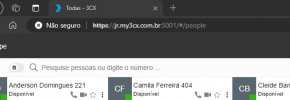
SSL warning displayed when accessing the portal and when provisioning 3CX applications.

1722876467213.png
 
Oh,
Yes, FQDN .my3cx.com.br
 
Restart services and try again

Bash:
sudo 3CXStopServices && sudo 3CXStartServices
 
I've followed along here and have the same issue. The firewall passes all port testing. I can access the dashboard via IP and URL - but Google Chrome prevents moving forward due to expired certificate. All systems are operating as expected, phones work, etc. I just cannot renew the certificate automatically (obviously) or manually. The "3cxpbx.sync is locked" error prevents the script from running.

I have run the script all in line, I have broken it into steps (attached). The problem is the same each time.

I have restarted the services both with the script offered by Guillaume and I have restarted them in the dashboard. I have also restarted the box multiple times.

Version 20.0 Update 2 (Build 715)
Running in Azure

This is a long running system that has upgraded over the years. The latest build has been in production since the week it was released without issues until recently (since 8/24).
 

Forum statistics

Threads
112,285
Messages
591,708
Members
165,408
Latest member
tom.walker@blackcountryra