Solved Cannot switch to hosting - Errors in deployment

Status
Not open for further replies.

Phill.

Free User
Joined
Aug 6, 2018
Messages
33
Reaction score
2
With the new 3CX hosting, we would definitely like to start testing.

However, we've hit a few issues before we could even get it running.

Yesterday, I tried the switch, and got the below error:
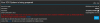

1600133400547.png
I tried again today and getting a new error, which also, has moved the instance, but its no longer accessible. Instance came back up by itself and reverted back to the old private hosting.
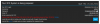
1600133427594.png

I've already rebooted via instance manager and checked that all services are running.

For a bit of information as well, when the 3CX system was being 'prepared' the last status i had of it was it sitting at restoring the backup 99.9% complete. The backup itself was only ~110mb

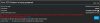
Any help regarding this? No idea why its asking about Google - I imagine this is a deployment issue with 3CX hosting with Google? (google backups not in use for this 3CX instance)
 

Attachments

  • 1600132909588.png
    1600132909588.png
    155.6 KB · Views: 2
  • 1600133227723.png
    1600133227723.png
    30.9 KB · Views: 2
@Phill. can you PM me with the license key you have used for this deployment ?
 
I am getting similar errors except with Digital Ocean Instead of Google Cloud. I remember reading that 3CX hosted uses several cloud providers. I’m wondering if maybe something is goofy on the 3CX background right now, hopefully not our fault. Wanted to do a migration but now it’s 2:30 AM, I need to be up in 5.5 hours and I guess I’ll delay my migration..
 
@FleckTeck do you restore a backup when you create the PBX ?
Because if the backup has misconfigurations inside like the operator 's email is missing then this will cause an issue.
As you already know the email on the Operator extension is mandatory.
I am sure that you will face the same exception even if you go to restore it on a standalone machine and not PBX Express.
Do the following, setup your PBX Express with us, with no backup restore.
Then after you set it up with the Extension Length you want, go and restore your backup on top.
Since this will be the same key, same FQDN, and same Extension length then this will bring your configuration in. But before this setup an email on the Operator 's extension or else you will have exceptions again.
 
@FleckTeck do you restore a backup when you create the PBX ?
Because if the backup has misconfigurations inside like the operator 's email is missing then this will cause an issue.
As you already know the email on the Operator extension is mandatory.
I am sure that you will face the same exception even if you go to restore it on a standalone machine and not PBX Express.
Do the following, setup your PBX Express with us, with no backup restore.
Then after you set it up with the Extension Length you want, go and restore your backup on top.
Since this will be the same key, same FQDN, and same Extension length then this will bring your configuration in. But before this setup an email on the Operator 's extension or else you will have exceptions again.

Ah that might be it. I’ll give it a shot tonight. Thank you!
 
  • Like
Reactions: NikosT_3CX
Do the following, setup your PBX Express with us, with no backup restore.
Then after you set it up with the Extension Length you want, go and restore your backup on top.
Since this will be the same key, same FQDN, and same Extension length then this will bring your configuration in. But before this setup an email on the Operator 's extension or else you will have exceptions again.

Your suggestions worked! Thank you!
 
Status
Not open for further replies.

Forum statistics

Threads
112,322
Messages
591,889
Members
165,470
Latest member
Robert Lee