Can't answer calls on Chrome Extension for the 3CX Webclient

Status
Not open for further replies.

SuperTima

Customer
Intermediate Cert.
Joined
May 27, 2020
Messages
29
Reaction score
6
When a call comes in, the Chrome Extension window pops up on the screen, but it does not have the green and the red buttons (see the attachment), so we can't answer calls.
Google Chrome's version is 86.0.4240.75 (Official Build) (64-bit) (the latest available one), the 3CX extension version is 4.3.0.319, 3CX PBX version is 16.0.655.
Re-installing the Chrome plug-in does not help. Clearing Chrome's cache does not help either.
What else can we do?
This issues affects some users in our company only, plus a couple of clients, so it does not happen on every computer.
The 3CX extension for Firefox works OK on the affected computers.
Please advise.
 

Attachments

  • Incoming call no buttons.jpg
    Incoming call no buttons.jpg
    22.4 KB · Views: 91
I read that. But we are talking about a core functionality. Pointing to third parties does not help here.
It does not work on Chrome. It does not work on Edge.
Does it work in Firefox? Maybe this could be a workaround.


I appreciate your answer. But it does not help to fix the core issue. Users are using the phone system to make and get calls. Actually for users with Webclient Extensions they can't get calls as they can't pick up.

We enrolled 3cx Webclient to various users. For them the actual situation is not satisfying at all. Waiting for a solution for 4 months is not a practicable way for end customers as well.


Final words: Handing the flag over to google is not the way to solve bugs. Because MAYBE they never investigate here.
If the customer is THAT unhappy, just install deskphones for God sake.

It is a Chrome bug they cannot work around it as it is not their code. They build an extension, not the browser. You probably never did any sort programming to accuse 3CX of handling the flag.

By the way, the Webclient is supported in Firefox but not the browser extension.
 
If the customer is THAT unhappy, just install deskphones for God sake.

It is a Chrome bug they cannot work around it as it is not their code. They build an extension, not the browser. You probably never did any sort programming to accuse 3CX of handling the flag.

By the way, the Webclient is supported in Firefox but not the browser extension.
Installing dekphones is not possible. Especially in these times you should know that many are working from home. You don't want to admin deskphones in various home network constellations. That's why WebRTC is being used.

I will never get this way of discussion. (If customers have issues with the clutch in their VW then for God sake buy them a Mercedes...).

Sorry for the Firefox thought, I did not even check the extension possibility. You are right, it is not being supported. My fault.

Well, we aren't going more far here. The issue persists.
Maybe it is time to join the chromium dev team... (just kidding)
 
Installing dekphones is not possible. Especially in these times you should know that many are working from home. You don't want to admin deskphones in various home network constellations. That's why WebRTC is being used.

I will never get this way of discussion. (If customers have issues with the clutch in their VW then for God sake buy them a Mercedes...).

Sorry for the Firefox thought, I did not even check the extension possibility. You are right, it is not being supported. My fault.

Well, we aren't going more far here. The issue persists.
Maybe it is time to join the chromium dev team... (just kidding)
For the time being, why don't you remove the Chrome Extension and just use the WebClient without the plugin?
Would this be a possible temporary solution for now?
 
  • Like
Reactions: Evolute IT
It’s just unfortunate because many have been asking for a long time to have dedicated apps for the PBX but were met with a heavy handed no. Luckily windows app is alive. It would be very nice if 3CX pivoted away from chrome as a base (which it seems like is being done for v18).
 
For the time being, why don't you remove the Chrome Extension and just use the WebClient without the plugin?
Would this be a possible temporary solution for now?
This is what we have done for the moment, and seems to work fine without the extension.

Once you allow browser notifications, user will still get pop-up to answer or decline a call even with browser minimised.
 
FWIW, I believe the earlier suggestion to simply move the window a bit also shows up the answer buttons. It’s not the best solution but it works and easiest to follow. We have tested and it works everytimr
 
Does anyone know if 3CX intends to fix this issue or what their work around is?
Is the firefox extension any good? Read some reviews on it saying they have similar issues
 
Does anyone know if 3CX intends to fix this issue or what their work around is?
Is the firefox extension any good?
3CX has posted a few times that it is a Chrome bug and they are waiting for it to be fixed by Google/Chromium.

The Firefox extension is for click to call and not a voice client. (Firefox can be used to run the web client, as can Chrome without the 3CX Chrome extension)
 
For the time being, why don't you remove the Chrome Extension and just use the WebClient without the plugin?
Would this be a possible temporary solution for now?
That's what we are doing at the moment. Issue here is that closing the web browser results in not being able to get calls anymore unless you re-open web client tab.

We now use Edge for 3CX Webclient only. Chrome is being used as a web browser for users. That's kind of our workaround.

Anyway that's not very satisfying for customers.

We understood, that the issue may have a backround in Chromium base. But for customers they see the issue in the phone system. They won't understand the technical background. They even do not need to. They need a realiable phone system. And that's where they have issues at the moment.

Fingers crossed that Chromium base gets an update here shortly.
 
Any updates here? New Chrome came out on 2-24?
 
  • Like
Reactions: Acribia
I would like to also ask the same question. Could we get an update on the progress with the Chromium team please?
 
Any updates here? New Chrome came out on 2-24?
I have installed this update a week or two ago, but it did not make any difference.
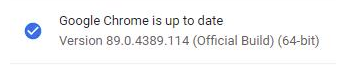
Currently running Google Chrome Version 89.0.4389.90 (Official Build) (64-bit)
 
Any temporary solution for now?
Currently Running : Same problem
Screen Shot 2021-03-31 at 4.26.48 PM.png
 
Any temporary solution for now?
Currently Running : Same problem
View attachment 21433
Yes, a workaround is to either minimize and then maximize the 3CX window on the screen while the phone is ringing, OR to drag the 3CX window around the screen for half a second while the phone is ringing, and both Answer and Reject buttons will appear.
 
  • Like
Reactions: Nick W
I am not having much issue with Edge Chromium
I'm surprised, but I confirm that actual version of Edge Chromium doesn't not have all that problems, now I'm testing in production
 
I'm surprised, but I confirm that actual version of Edge Chromium doesn't not have all that problems, now I'm testing in production
Not that surprising. Its like a cut down, tuned, version of Chromium :)
 
For the moment you need to use the extension with the web client. The change is from Chrome side. In v18 we have a new windows app based on the web client that resolves this.
 
For the moment you need to use the extension with the web client. The change is from Chrome side. In v18 we have a new windows app based on the web client that resolves this.
Where can we test that new app?
 
For the moment you need to use the extension with the web client. The change is from Chrome side. In v18 we have a new windows app based on the web client that resolves this.
Whoa!!! Where can I get my hands on this!?
 
  • Like
Reactions: Evolute IT
Status
Not open for further replies.

Forum statistics

Threads
112,025
Messages
590,368
Members
164,978
Latest member
FringeIT-Eric