Can't open provisioning file with 3CX app on Android

Status
Not open for further replies.

Peter Richardson

Customer
Basic Certified
Joined
Apr 6, 2017
Messages
286
Reaction score
16
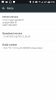
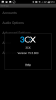
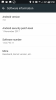
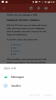
Screenshot_20180405-095012.png Screenshot_20180405-095140.png Screenshot_20180405-095023.png Screenshot_20180405-094217.png See attached image. 3CX not showing as an option to open the attachment from Gmail on Android 7.0 using HTC U Ultra and 3CX version 15.5.303
 
Close the application and then click the attachment or reboot phone.
 
Thanks jimbo, I tried that but no luck.
 
Saqqara has the best idea then
 
Thanks Saqqara, but this requires the user to have a computer screen in front of them with the QR code showing. Users don't always have a computer available. They would also need to have their user name and password for the Web client and also the PBX url. Way too much hassle and complexity for many of my clients.

Everyone can get an email with an attachment on their phone.
 
I thought it was just one phone. I have no problem provisioning my android with gmail attachment
 
We see this issue a lot. The workaround is to save the attachment on the phone and then open it up with an alternative File Manager from the Google Play store.
 
Thanks very much @techclarity this is exactly what I needed. Cheers.
 
Yep, starting a few versions ago, Google made an update for all Android devices which was downloaded automatically to everyone via the app store.

This update contains a change that intentionally breaks the ability to open the 3cxconfig file directly with the 3CX app from their Gmail app. Due to this and the fact that the 3cxconfig file cannot be associated to the 3CX app on Android O/S, users are urged to use QR Code scanning, PNP Provisioning or download an external file manager app to open the 3cxconfig file with the 3CX app.

Instructions for 2/3 of the above exist already on the 3CX Website. The PNP provisioning part works already since many service packs, but improvements are coming to make it even better in the future. The 3cxconfig file configuration style is old and painful and may slowly be phased out.
 
Thanks @LeonidasG

What is PNP provisioning for a mobile phone?

As mentioned earlier, QR scanning requires the user to have a computer screen in front of them with the QR code showing. Users don't always have a computer available. They would also need to have their user name and password for the Web client and also the PBX url. Way too much hassle and complexity for many of my clients. However, everyone can get an email with an attachment on their phone.

Why would you phase out something that's so easy to implement - "send welcome email", "open email", "open attachment", done. Remember, we're building phone systems for all types of people, not just young, savvy and bright kids. Having easy options that can be understood by all types is what we need, not something that requires tech support for 30 minutes per person in the whole company.
 
What is PNP provisioning for a mobile phone?
The 3CX clients can be provisioned via PnP similarly to IP phones. If a 3CX does not have any configuration and it is turned on it will send a PnP request in the network. If the server is in the same network then the client will appear under the phones tab as a new device that can be auto provisioned. You then select the client and assign it to an extension. Same as IP phones that need to be factory reset in order for PnP to work.
 
Thanks very much @YiannisH_3CX

Will this PnP provisioning work for a mobile phone? Android and iPhone?
 
Yes, if you can see the client as a new phone in the management console PnP provisioning will work. Just assign an extension to the client and click OK
 
I have never tried it , but do you need to root your Android phone?
 
I have never tried it , but do you need to root your Android phone?
No root is not required to provision your phone through PnP.
 
I have never tried it , but do you need to root your Android phone?

No - but the PBX SIP port should be standard 5060 AND the client should be on the same subnet network.
 
the email provisioning works great other than this file association issue.

i don't understand why there is not an option to open the config file from withing 3cx. simply download the attachment from the email (which winds up in the download directory), go to 3cx, and have an option to open a config file and point it to the download directory. a simple file browser built into the 3cx app instead of having to tap the config file and hoping that android know what application to open the file with.

your thoughts?
 
  • Like
Reactions: kcyuen
since what version has PNP been available? i'm on 15.5.3849.1 and have not seen android clients show up in the phones menu tab.
 
Vali, i have a dedicated wired voip subnet however my wifi is on the lan subnet and there is routing between the two networks so that android clients on wifi can use the 3cx app. even though all traffic is allowed between the two subnets, the android clients would not show up in the phones menu tab because of the different subnets?
 
Status
Not open for further replies.

Forum statistics

Threads
112,349
Messages
592,026
Members
165,512
Latest member
gmacinit