- Joined
- Mar 1, 2018
- Messages
- 3
- Reaction score
- 0
After doing a google search and experimenting - the answer is that the form is buggy by design or defect.
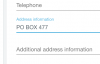
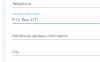
The address field on the “Billing” form will accept - but apparently not use free form addresses.
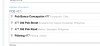
I guess the idea was that someone would start typing and then the correct address (from google maybe) will pop up in a list and you select from one of them.
Unfortunately the pop up list does not handle PO Boxes which are quite common and even recommended for security purposes for business billing addresses.
So the trick to make the form work was to select a bogus street address from the list rather than the actual billing address which apparently is not checked anyway.
Maybe this bit of insight will save the next person some time - or better yet it could be passed on to the web developer to fix.
The address field on the “Billing” form will accept - but apparently not use free form addresses.
I guess the idea was that someone would start typing and then the correct address (from google maybe) will pop up in a list and you select from one of them.
Unfortunately the pop up list does not handle PO Boxes which are quite common and even recommended for security purposes for business billing addresses.
So the trick to make the form work was to select a bogus street address from the list rather than the actual billing address which apparently is not checked anyway.
Maybe this bit of insight will save the next person some time - or better yet it could be passed on to the web developer to fix.

 (It's also faster as it automatically fills in the rest of the fields for you)