Can't renew the license as maintenance expired and installed version is 18.0.5.418

Status
Not open for further replies.

Akhilesh Sharma

Bronze Partner
Basic Certified
Joined
Mar 9, 2022
Messages
12
Reaction score
0
We already purchased the license in August but forgot to refresh the license status from 3CX installation.

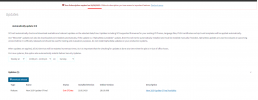
Now, we can't refresh the license status as it's using an old version, and we are getting this error:

3CX failed to establish a TCP connection to activate.3cx.com.
Ensure that the local or border firewalls are configured to allow outbound traffic to activate.3cx.com

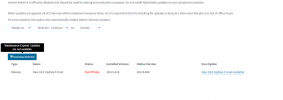
We have seen this problem before, and the fix was to install the latest update and then refresh license worked. The problem here is we are unable to update as maintenance is expired. Please help this is urgent. Right now, it looks like we stuck in a loop. License status can't be refreshed unless version is updated, and version can't be updated unless license is renewed.

Thank You
 

Attachments

  • Subscription .PNG
    Subscription .PNG
    68.8 KB · Views: 16
  • Subscription Expired CCD.PNG
    Subscription Expired CCD.PNG
    119.5 KB · Views: 16
Hi @Akhilesh Sharma

Please note that Version 18 update 5 cannot no longer be updated from the Management Console.
The only solution for this issue is to take a full backup of the system, uninstall it, and then redeploy using the backup.
 
Hello @NikolasA_3CX

Thank You for the valuable input. I was able to get rid of the activation and update loop using CLI command for update and upgrade which updated the 3CX to latest stable version automatically and my license was refreshed afterwards.

The two commands I used from Debian CLI was:

sudo apt update
sudo apt upgrade

These two commands solved all my issues with the licensing. Thanks again for the quick response.
 
Hi @Akhilesh Sharma

Please note that updating the machine using CLI commands is not a supported method and you should refrain from doing so, as by doing this you also update the OS as well not just the PBX which might cause other issues in the future.
 
Hi @Akhilesh Sharma

Please note that updating the machine using CLI commands is not a supported method and you should refrain from doing so, as by doing this you also update the OS as well not just the PBX which might cause other issues in the future.
What would be the alternative as opposed to doing an OS update through the CLI?
 
What would be the alternative as opposed to doing an OS update through the CLI?
“take a full backup of the system, uninstall it, and then redeploy using the backup.” Or you could try opening a ticket but they will likely tell you to do that.
 
Yes, that was my first thought also to backup and restore, but it is not convenient right now for some reasons. There isn't any other alternative? Such as targeting a specific upgrade of the 3CX package through CLI? (even though it is not recommended to upgrade it through that route).

Such as ``apt-get install --only-upgrade 3cxpbx``
 
@Platonik Since you manage the installation you can check your alternatives but this is not something we can advice or support.
The safest way is the backup/restore process.
 
  • Like
Reactions: Platonik
Status
Not open for further replies.

Forum statistics

Threads
111,974
Messages
590,081
Members
164,899
Latest member
mazet