Cant save phone provisioning tab - no errors showing

Status
Not open for further replies.

alex22alex

SOHO User
Joined
Jun 11, 2008
Messages
75
Reaction score
2
Hello,

I am trying to assign yealink T42* to an extension. It has the latest firmware and has been reset. When i try to assign it to the extension it takes me to the provisioning tab but i cant get it to save the extension pressing the OK button does nothing and there is no obvious error message.

https://drive.google.com/file/d/1e4cjjK2aThls2QR5s7ZamVW77yO9FqZw/view

Interestingly the same thing happens when trying to change the provisioning just to the 3cx soft client for a different extension

https://drive.google.com/file/d/190IcTTqR1JCbnhizRG35qfHDTSvjKpLF/view

So probably not actually to do with the phone
 

Attachments

  • Screenshot 2019-07-19 at 16.19.08.png
    Screenshot 2019-07-19 at 16.19.08.png
    35.2 KB · Views: 9
Last edited:
Also the yealink now seems to be a state where despite not working its somehow blocking self from 3cx
 

Attachments

  • Screenshot 2019-07-19 at 16.28.01.png
    Screenshot 2019-07-19 at 16.28.01.png
    195.9 KB · Views: 9
Last edited:
What version of 3CX are you running ?

Have you tried using a different browser and clearing the cache ?
 
Upgrade to V16 today - Chrome latest version also now tested in Safari and cleared caches so not a browser issue.
 
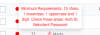
These extensions i am trying to allocate to have an error like this however even when i change all the passwords to meet the criteria nothing happens could this be linked ?
 

Attachments

  • Screenshot 2019-07-19 at 17.49.59.png
    Screenshot 2019-07-19 at 17.49.59.png
    15.3 KB · Views: 6
Just for anyone else with this it seems the error here is poor UI if you encounter this message changing the individual three passwords mentioned doesn't seem to clear the error.

You have to use the regenerate functionality on extension list screen to get rid of it.
 
Hi @alex22alex

What happen if you try to create a brand new extension and provision the phone on it ?

Have you tried to reboot the 3CX Server ?

Passwords on extension are a bit shitty imo. That's why the best way is to regenerate and send welcome email to get them :)
 
What happen if you try to create a brand new extension and provision the phone on it ?

yep this works thanks for the debugging and support !
 
You're welcome ;)
 
Hi Alex,

In the general tab you would see the error, even though this was not in your video.

Please regenerate the passwords via the management console otherwise you cannot save because the password does not meet the requirements.
 
Status
Not open for further replies.

Latest Posts

Forum statistics

Threads
111,932
Messages
589,805
Members
164,804
Latest member
fcentral