Solved Can't see conference id and conference number

Status
Not open for further replies.

Sobiera

Customer
Advanced Certified
Joined
Apr 2, 2019
Messages
45
Reaction score
1
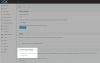
Since a short while the 3CX Webmeeting does not show the Conference ID and number. My Customers are really unhappy with that and it should be fixed. One Customer say that he may switch to webex or other solutions.

Referring to Direkte Einwahl in Webkonferenzen mit dem 3CX WebMeeting Update this should be available.
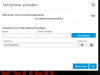
3cx.PNG
 
Last edited:
Hi,

It looks like a Click2Meet URL rather than a scheduled or ad-hoc meeting

So how did you create and then join the meeting in the screenshot?
 
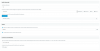
Also: in your management console, under Settings > Conferencing > Audio, is there a number defined?
1608118369733.png
 
Dear JohnS_3CX

yes the conferencing number is defined.

1608120156909.png

Regards,
Christian
 
Thanks Christian, can you also confirm if this problem happens with scheduled meetings in V16.0.7.1078?
 
Regarding your question:

Hi,

It looks like a Click2Meet URL rather than a scheduled or ad-hoc meeting

So how did you create and then join the meeting in the screenshot?

It does not matter on how the meeting gets started. If I schedule a meeting we normally see the conference number and the pin while trying to add a new person to the meeting.

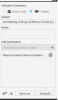
1. create a scheduled meeting
1608120313115.png
2. schedule a time
1608120320221.png
3. join the meeting now
1608120337198.png
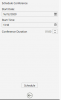
4. Try to add a person - there you normally have the number and pin but it is empty since about two weeks
1608120354984.png

addition: it does not matter if you use Chrome or Firefox ...
Regards,
Christian
 
  • Like
Reactions: Evolute IT
I had the same issue yesterday on a scheduled meeting. (The Conference ID and dial-in info didn't show)
 
The Conference Number is set, and the meeting was started via quickmeeting
 
Thanks for reporting, we will investigate it further.
 
Thanks for reporting, we will investigate it further.
Here's another I did today!

1608141273674.png

I can send you the meeting URL in DM if you need.
 
Which Version do you use? I tested this with
16.0.7.1078
16.0.619
On different Systems, we didn't changed any settings. It just stopped working the way we know it.
 
Hi there, this seems to have been an issue related to our server software. We've made a fix and deployed it to 95% of WebMeeting servers yesterday and today. The remaining 5% of servers is expected to be updated by the end of the day today.
 
Actually it does not work on my side. I will give an update at monday.
 
Actually it does not work on my side. I will give an update at monday.

It's either due to the remaining 5% of servers or due to some misconfiguration on your PBX. To discount misconfiguration, you'll need to make sure your PBX's port 5001 can be reached by *.3cx.net domains.
 
Status
Not open for further replies.

Forum statistics

Threads
111,973
Messages
590,078
Members
164,896
Latest member
sameage