Can't see or hear participants in WebConference

Status
Not open for further replies.

kitcb

SOHO User
Joined
Feb 16, 2019
Messages
15
Reaction score
0
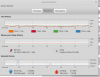
When I try to conduct a web meeting with video, the meeting is created properly and the participants are notified, however, each participant gets a window that shows only their own camera, and not the cameras for the other participants. All of the correct ports are open on the Firewall, and the firewall test completes with no errors. I am testing this between individuals on the same network. The same is true for the audio portion as well. Things like the whiteboard work - all the participants can see the whiteboard and the chatting works as well. We just can not see or hear any of the other participants. The participants are all listed in the right hand window pane, and the Video Quality Icon at the top of the window is greyed-out. If I look at the statistics I see the following:
9587
 
Thanks for the feedback.

  1. Could you try this again and take a full screenshot of the statistics page? You'll find more statistics in this page if you scroll down a bit. These statistics may help us understand better what's going on.

  2. Also could you PM me your meeting link just to see to which server you're connecting to and to check things from our side.

  3. While in a meeting with this problem, could you press F12 to open the Chrome Console? Could you copy paste all of the console's contents to a .txt file and PM it to me directly? I'd like to check for any errors that might be showing up in your logs.
 
We're still unsure of what exactly the issue is even after investigating.

This is one of two things. Either it's a geoblocking issue by your firewall, or an issue on our side that's been resolved for the next upcoming release of WebMeeting (Coming out very soon). I'd strongly suggest you check your firewall again but this time for geoblocking as we found that your IP is reachable from one part of the world, but not from another.
 
I normally run with pfBlocker enabled (blocks just top spammer IPs) however I turned it off for our tests this morning and then turned it back on when we finished. I again disabled it so you should see that there is no geoblocking involved again.
 
And in response to your earlier post (which has since disappeared) I tried a new meeting with exactly the same results.
 
Good to know. In that case, we can consider it to be an issue with our platform.

It looks like the issue is actually already resolved in our internal version. We'll be making a platform update with this fix + more very soon.
 
Any update on this? It has been a few weeks.....
 
No change in behavior - the participants still only see themselves.
 
Hello, can you please check CPU usage of your clients when this issue happens?
 
I think you are on to something...

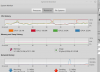
Here is the cpu usage before starting the meeting:
9941


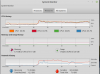
and here is the usage after the meeting has started:

9942

The clients show the exact same behavior.
 
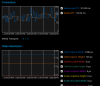
If I connect the clients to a test WebRTC meeting (https://appr.tc/) which works well. I see the following (note moderate CPU usage and network traffic)

9943
 
Thanks for sharing. Another check: try to start a meeting with audio and video disabled. Keep an eye on CPU. Then enable video and see what happens.
Which webcam are you using? Can you also try Firefox and see if behavior is different?
 
I did the requested testing - using Firefox I don't see the cpu saturate like it did with chromium, but I see no network traffic. If I join the meeting from the outside world, I still don’t see the participants – but I generate plenty of network traffic. As before, if I join a non-3cx WebRTC meeting all works fine. It seems to me that since the non-3cx meeting works, and an external client seems to be able to communicate with the 3cx server, the issue might be the peer-to-peer connectivity and not a firewall issue?
 
Status
Not open for further replies.

Latest Posts

Forum statistics

Threads
111,973
Messages
590,075
Members
164,895
Latest member
jasonkkrause