





Updated UI and New Features
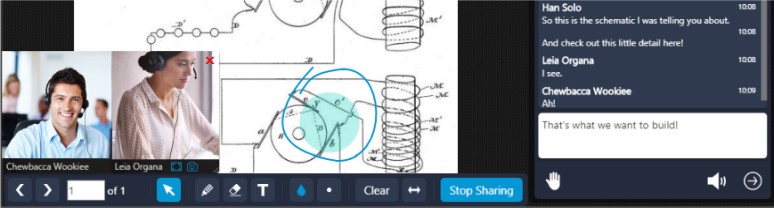
This latest update of our web conferencing platform, packs a tweaked UI look, new functionality, service optimizations and reliability improvements.
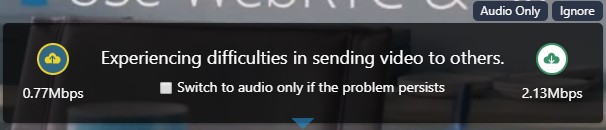
Gone is the outdated signal meter, replaced by the new meeting quality notifications displayed you experience low video quality due to download or upload issues on your side. These notifications provide info that can help you identify the reasons for a subpar meeting experience and act accordingly or click “Ignore” to skip them. Basic or advanced users can go to WebMeeting “Settings” > “Network” to find more info in the respective statistics views for further troubleshooting.
Service Reliability Upgrades
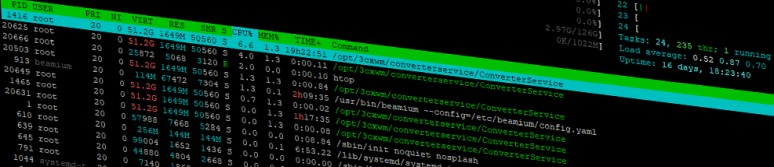
Serving about 100K web conferencing sessions and 150K participants each month is not for the faint of heart, requiring our constant attention. To be able to expand and reliably serve more meetings and users, we have moved the 3CX WebMeeting’s service infrastructure to Google and Amazon hosting solutions.
Relevant meeting data is kept briefly οn Google’s hosting platform in Europe for reliability, security features and technical capabilities. Our meeting servers, nodes or MCU’s as we call them, are now hosted in Amazon data centers all over the world to better serve your ever-expanding web conferencing needs. They are now located in Australia, Brazil, Canada, France, Germany, Russia, South Africa, Singapore, United Kingdom, USA, Vietnam and soon in India. Wherever you are, we have a server close by to handle your meetings.
Opus Codec in Dial-in Meetings
One of the key reasons users worldwide enjoy 3CX WebMeeting is the high quality audio. Our latest update expands on this, enabling the versatile and high fidelity Opus codec even when users dial-in to a web conference. While meeting participants are no longer restricted to the G.722 codec, dial-in participants use whatever codec their extension, bridge or trunk supports.
Up to 50X Faster Meeting Recordings & Reports
Always on the lookout for improvement, we set forth in optimizing the processing for recordings and reports. Based on our service stats, a 1 hour meeting recording for up to 4 participants with video and audio enabled, on average took about 50 minutes of additional processing before delivered to your inbox. The updated service drops the processing time drastically, down to 1-3 minutes depending on the meeting options and the recording quality preset used.
View the change log for this version and give us your feedback via our dedicated community forum.









 Copyright © 2026